AI video generation has a price problem. The most impressive models -- Kling 3.0, Veo 3.1 -- produce stunning results, but each generation burns through credits fast. If you are iterating on an idea, prototyping a storyboard, or producing content at volume, the cost adds up before you have a finished piece.
Wan 2.6 by Alibaba changes that equation. It is now live on Oakgen.ai's Video Generator, and at roughly $0.035 per generation (7 credits), it is one of the most affordable video models available anywhere. But cheap does not mean compromised -- Wan 2.6 brings genuine innovation, including multi-shot narratives that let you tell coherent stories across multiple connected scenes.
Here is everything you need to know about Wan 2.6 and how to use it on Oakgen.
What is Wan 2.6?
Wan 2.6 is the latest release in Alibaba's Wan video generation series. It builds on the architecture of Wan 2.1 with significant improvements in temporal coherence, resolution, and a new multi-shot capability that no other budget model offers.
The key specs:
- Resolution: Up to 1080p
- Multi-shot narratives: Intelligent scene segmentation across connected shots
- Three modes: Text-to-video, image-to-video, reference-to-video
- Character consistency: Reference system for maintaining appearances across shots
- Cost on Oakgen: 7 credits per generation (~$0.035)
Wan 2.6 is not trying to compete with Kling 3.0 on raw visual fidelity. What it does is deliver solid, usable 1080p video at a price point that makes iteration and volume production practical.
Professional video creators rarely nail a shot on the first try. They iterate -- adjusting prompts, camera angles, timing, and pacing across dozens of generations before landing on the final cut. At $0.035 per generation, you can run 100 iterations for $3.50. With premium models, that same exploration costs $20-$80. Budget models do not replace premium ones -- they make the creative process affordable.
The Three Modes
Text-to-Video
The most straightforward mode. Describe your scene in text, and Wan 2.6 generates a video clip. It handles camera movements (pan, zoom, dolly, tracking), human motion, environmental effects (rain, wind, fire), and basic physics.
Example prompt:
"A woman walks through a rainy Tokyo street at night, neon signs reflecting on wet pavement, camera tracking shot from behind, cinematic color grading"
Text-to-video is best for creating original scenes from scratch -- social media content, concept videos, storyboard visualization, or creative experiments.
Image-to-Video
Provide a still image as the starting frame, and Wan 2.6 animates it. This is powerful when you already have a specific visual in mind -- generate an image with Oakgen's Image Generator using Flux 2 Pro or Recraft V4, then bring it to life with Wan 2.6.
The model preserves the composition, colors, and style of your input image while adding natural motion. It is particularly effective for:
- Animating product photos (subtle movement, rotating displays)
- Bringing AI-generated artwork to life
- Creating cinemagraphs from still photography
- Turning storyboard frames into motion previews
Reference-to-Video
This is Wan 2.6's most distinctive feature. Using the @Video syntax, you can provide reference images of characters or objects, and the model will maintain their appearance across generated video. This is how you achieve character consistency in AI video without expensive fine-tuning.
The reference-to-video mode understands:
- Facial features: Maintain a character's face across different scenes and angles
- Clothing and accessories: Keep outfits consistent even as the character moves
- Object identity: A specific product, vehicle, or prop stays recognizable
This is the foundation for multi-shot storytelling -- generate multiple clips with the same character references, and they look like they belong in the same film.
Multi-Shot Narratives: The Killer Feature
Most AI video models generate isolated clips. Each generation is independent -- there is no continuity between shots. If you want to tell a story, you are stitching together clips that may not visually cohere.
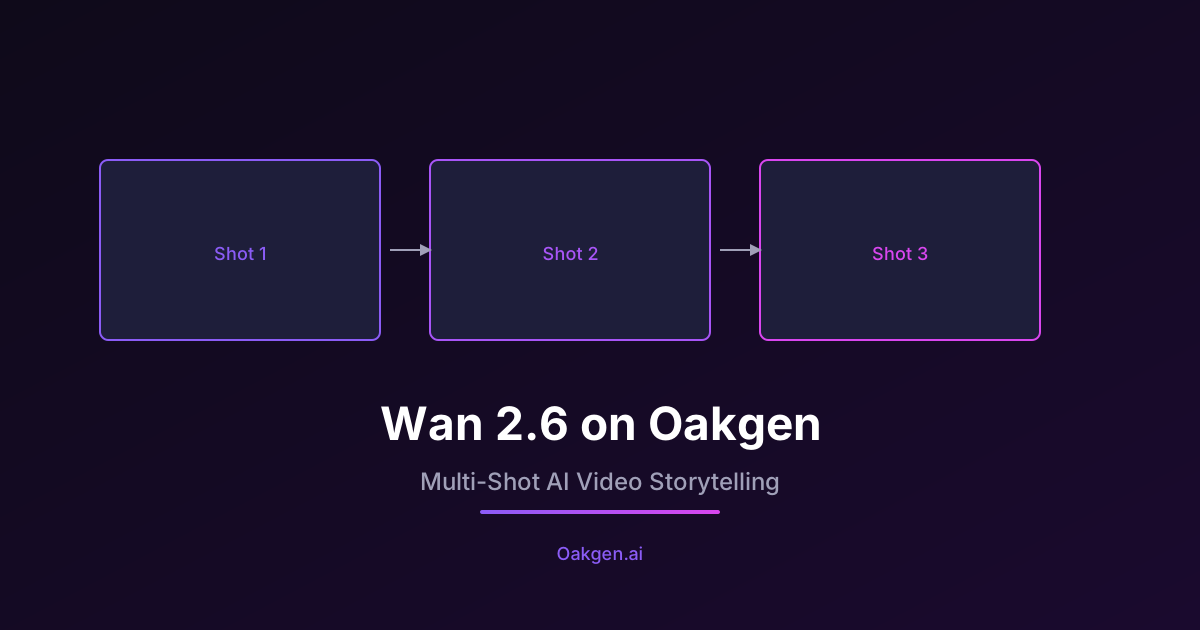
Wan 2.6's multi-shot system solves this with intelligent scene segmentation. You describe a sequence of connected scenes, and the model generates them with visual continuity:
- Consistent character appearances across shots
- Coherent lighting and color grading
- Logical spatial relationships between scenes
- Smooth narrative flow
How to Create a Multi-Shot Narrative
Here is a practical example. Say you want to create a short product launch video with three shots:
Shot 1 -- The Problem:
"A frustrated office worker staring at a cluttered desk covered in papers, harsh fluorescent lighting, medium shot"
Shot 2 -- The Solution:
"The same office worker smiling while using a sleek tablet app, desk now clean and organized, warm natural lighting from a window, medium close-up"
Shot 3 -- The Payoff:
"Wide shot of the same worker confidently presenting to a boardroom, the tablet app displayed on a large screen behind them, professional corporate setting"
By using reference-to-video mode with a consistent character reference across all three prompts, Wan 2.6 produces shots that look like they were planned together. The character's face, clothing, and general aesthetic remain consistent while the scenes, angles, and lighting change naturally.
At 7 credits per shot, this three-shot sequence costs 21 credits -- roughly $0.11. Even if you iterate five times to get it right, you have spent less than a dollar.
Generate your character reference image first using Oakgen's Image Generator. Use a clear, well-lit portrait with the outfit and look you want. Then use that image as the reference for all shots in your multi-shot sequence. This gives Wan 2.6 the best possible anchor for consistency.
Wan 2.6 vs. the Competition
How does Wan 2.6 compare to the other video models available on Oakgen? Here is an honest breakdown:
| Feature | Feature | Wan 2.6 | Kling 2.1 | LTX Video 2.0 |
|---|---|---|---|---|
| Max Resolution | 1080p | 1080p | 720p | |
| Multi-Shot Narratives | Yes | No | No | |
| Character Consistency | Good (via reference) | Good (built-in) | Basic | |
| Motion Quality | Good | Excellent | Good | |
| Camera Control | Good | Excellent | Basic | |
| Generation Speed | 30-60 seconds | 60-120 seconds | 5-15 seconds | |
| Credits on Oakgen | 7 credits | 20 credits | 8 credits | |
| Cost per Generation | ~$0.035 | ~$0.10 | ~$0.04 | |
| Best For | Volume / stories | Hero shots / quality | Quick prototyping |
The takeaway: Wan 2.6 is not the highest-fidelity model, but it is the best value for narrative content. If you need one perfect hero shot for a campaign, use Kling. If you need 20 shots for a storyboard, product demo, or social series, use Wan 2.6 for drafts and iteration, then upgrade your final selects to a premium model if needed.
Tips for Great Wan 2.6 Results
Write Cinematic Scene Descriptions
Wan 2.6 responds well to prompts that read like screenplay directions. Include:
- Subject: Who or what is in the frame
- Action: What is happening
- Setting: Where the scene takes place
- Camera: Shot type and movement (wide shot, close-up, tracking, dolly)
- Mood: Lighting, color, atmosphere
Good prompt: "A chef carefully plating a dish in a dimly lit restaurant kitchen, steam rising from the food, overhead camera slowly pushing in, warm amber lighting, shallow depth of field"
Weak prompt: "Chef cooking food"
Use Camera Movement Keywords
Wan 2.6 understands standard cinematography terms:
- Pan left/right -- horizontal camera rotation
- Tilt up/down -- vertical camera rotation
- Dolly in/out -- camera moves toward/away from subject
- Tracking shot -- camera follows subject laterally
- Crane shot -- camera moves vertically through space
- Static shot -- no camera movement
- Handheld -- subtle natural shake
Start Simple, Then Layer Detail
Begin with a clear, simple scene description and generate a test clip. Once you confirm the basic composition works, add detail in subsequent iterations: specific lighting, additional props, refined camera movements, atmospheric effects.
Combine with Oakgen's Image-to-Video Pipeline
For maximum control, generate your perfect opening frame with the Image Generator, then feed it into Wan 2.6's image-to-video mode. This gives you pixel-level control over the starting composition while letting Wan 2.6 handle the animation.
Who Should Use Wan 2.6?
Social media creators producing daily or weekly video content will find Wan 2.6 indispensable. At 7 credits per clip, even the Basic plan's 2,000 monthly credits cover nearly 300 video generations.
Small businesses creating product demos, explainer videos, or social ads can produce professional-looking content without a video production budget.
Filmmakers and storyboard artists can use multi-shot narratives to pre-visualize entire sequences before committing to expensive shoots or premium model generations.
Educators and trainers creating instructional content can generate visual demonstrations quickly and affordably.
Anyone on a budget who wants to experiment with AI video without worrying about burning through credits on iterations.
Getting Started
Wan 2.6 is available now on Oakgen.ai's Video Generator for all paid plans. Free tier users can access it with daily generation limits.
Every new account starts with 1,000 free credits -- enough for over 140 Wan 2.6 generations. That is a lot of video for zero dollars.
Try Wan 2.6 on Oakgen
Multi-shot AI video at just 7 credits per generation. Sign up for 1,000 free credits and start creating video narratives today.