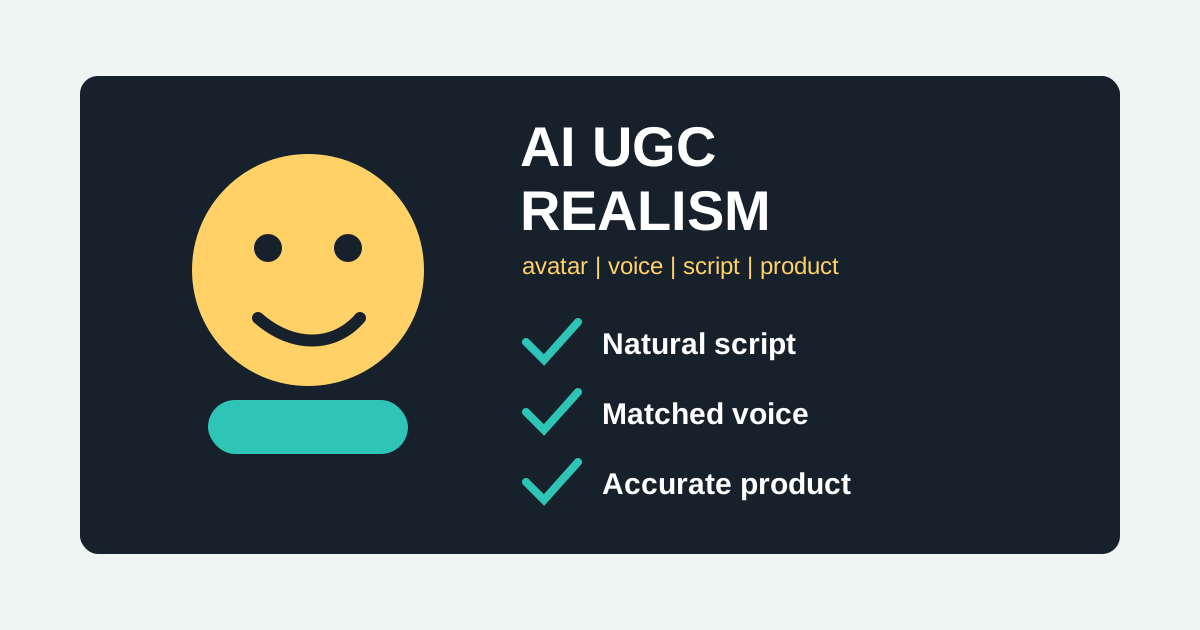
Realistic AI UGC ads are not realistic because the avatar has perfect skin or the room looks expensive. They feel real when the script sounds like something a person would say, the voice matches the face, the product appears accurately, and the edit behaves like native social content instead of a synthetic demo reel.
This checklist covers avatar, voice, script, product, editing, and disclosure review. Use it before you ship AI UGC ads, talking photo creatives, or AI voice ads from Oakgen audio tools.
Create More Believable AI UGC Ads
Use Oakgen to test UGC scripts, avatar-style videos, talking photos, voiceovers, and product scenes from one creative workflow.
The AI UGC Realism Checklist
Score each item before you publish. A weak score does not always mean "do not run it." It means you should know what risk you are accepting.
| Area | Realistic | Fake-Looking |
|---|---|---|
| Script | Specific, spoken, one clear idea | Generic pitch, buzzwords, too polished |
| Avatar | Matches buyer, product, platform | Stock-looking, wrong age/context |
| Voice | Natural pace and emotion | Flat, robotic, overacted |
| Product | Accurate shape, label, use case | Wrong packaging, impossible demo |
| Setting | Ordinary, believable, slightly imperfect | Showroom-perfect AI room |
| Editing | Native cuts, captions, safe zones | Slow intro, cinematic filler |
| Claims | Substantiated and clear | Fake testimonial or exaggerated result |
| Disclosure | Reviewed for platform and context | Viewer may be misled |
As of July 2026, platform expectations around synthetic content are still evolving. YouTube requires disclosure for realistic altered or synthetic content in certain cases. Meta has specific AI disclosure rules for political or social issue ads. The FTC's endorsement guidance remains important for any ad that implies a testimonial, review, or personal experience. Treat disclosure and claims as part of creative quality, not paperwork after the fact.
1. Script: Sound Like A Person, Not A Brand Deck
The script is the first realism layer. Viewers forgive a slightly imperfect synthetic presenter faster than they forgive a fake-sounding line.
Bad UGC script:
Our powerful platform helps teams create better content faster.
Better:
If your product photos all look the same, do not start by changing the budget. Start by changing the creative angle.
The better version has a real point of view. It names a problem and gives a next step. It also sounds speakable. If a human creator would feel embarrassed reading the line, the AI version will probably feel worse.
Use scripts built around:
- one pain
- one product mechanism
- one demo or example
- one CTA
Do not ask the avatar to explain every feature. That creates a landing page monologue in a social video format.
2. Avatar: Match The Buyer And The Situation
AI avatar ads fail when the presenter feels unrelated to the product. A skincare ad with a presenter who looks like a corporate training host will feel wrong even if the lip sync is decent. A finance product ad with a chaotic influencer tone may also feel wrong.
Choose the avatar around the buyer's trust model:
- ecommerce impulse product: casual, direct, energetic
- B2B software: calm, specific, operator-like
- wellness or skincare: careful with claims, warm but not exaggerated
- creator tool: expressive, informal, fast-paced
- local service: ordinary, grounded, clear
If you use talking photo, pick an image that has enough facial clarity for lip movement and enough context to feel believable. Avoid over-polished portraits unless the ad is intentionally presenter-led.
The best AI avatar is not the most attractive or cinematic one. It is the one the buyer would plausibly listen to for this specific product.
3. Voice: Natural Pace Is More Important Than Perfect Audio
AI voice often fails in two ways: it is too flat or too theatrical. UGC needs a middle range. The voice should sound like someone explaining something quickly but not reading a legal disclaimer at 1.5x speed.
When using Oakgen audio, test at least three voice directions:
- casual explainer
- confident product demo
- founder/operator note
Then adjust the script to the voice. Some hooks work better with a quick conversational voice. Others need slower delivery because the concept is unfamiliar.
Watch for these problems:
- no pause before the key line
- weird emphasis on brand or product names
- too much enthusiasm for a low-emotion product
- pronunciation errors
- voice that does not match the face or age of the avatar
4. Product Accuracy: The Product Cannot Drift
AI UGC can survive a plain room. It cannot survive a wrong product. If the bottle label changes, the app interface is invented, the shoe has a different sole, or the packaging looks like a competitor, the ad loses trust.
Use product references whenever possible. Generate the product scene first, then create video or UGC around the approved product visual. If the product is regulated, technical, or packaging-sensitive, review every frame.
The product should be:
- visually recognizable
- shown in a plausible context
- used in a physically possible way
- free from invented labels, logos, or claims
- consistent across variants
If you are making ads from a product photo, start with the image generator to lock the product look before moving into UGC or video.
5. Setting: Slightly Ordinary Often Works Better
Many AI ads look fake because the background is too perfect. Real UGC often has normal counters, imperfect lighting, handheld framing, and practical spaces. That does not mean the ad should be ugly. It means it should avoid "AI showroom" energy unless the brand calls for it.
Good UGC settings:
- kitchen counter for food, home, wellness
- desk setup for software, productivity, creator tools
- bathroom shelf for skincare
- car interior for local, utility, parent, travel products
- gym bag or locker for fitness
- plain wall for direct explainer
Bad settings:
- luxury penthouse for a budget product
- futuristic neon room for a simple household item
- generic podcast studio for every category
- background props that distract from the product
6. Editing: Make It Native To The Platform
TikTok, Reels, and Shorts do not need slow cinematic intros. They need immediate context. TikTok's own creative guidance emphasizes vertical orientation, sound, visibility, and platform-native creative. For UGC, your first second should tell the viewer why to keep watching.
Use:
- 9:16 vertical framing
- safe-zone aware captions
- visible product by second two
- one jump cut when the thought changes
- simple text overlays
- short demo inserts
- direct CTA
Avoid:
- four-second logo intro
- cinematic b-roll before the hook
- text over important UI areas
- tiny captions
- five different font styles
- music that fights the voice
7. Claim And Disclosure Review
The most realistic AI UGC ad can also be the riskiest. If a synthetic presenter says "I used this and lost 20 pounds," the problem is not realism. The problem is a potentially misleading endorsement.
Create a safe-claim list before generating:
Allowed:
- Demonstrate how the product works.
- Explain the workflow.
- Compare features that are visible or documented.
- Say "I would use this for..." as an editorial recommendation when appropriate.
Needs review:
- Health, finance, income, legal, or performance claims.
- Before/after results.
- Customer-style personal experience.
- Claims about being the best, fastest, or cheapest.
Avoid:
- Fake testimonials.
- Invented customer results.
- Impersonation.
- Synthetic presenters framed as real customers.
Failure Modes To Watch
The mouth moves, but the face does not feel alive. The voice is clear, but the emotion is wrong. The product looks right in one shot and wrong in the next. The script starts casual, then becomes a sales page. The captions cover the product. The avatar looks like the wrong buyer. The hook is too vague. The CTA is weak. The disclosure context is unclear.
These are not minor details. They are why a technically impressive AI ad still feels unusable.
Realism Scorecard
Use this scorecard before approving an AI UGC ad. Give each line a score from 1 to 5. Anything under 3 needs revision.
| Check | Question | Fix If Weak |
|---|---|---|
| Hook | Would the target buyer understand it immediately? | Make the problem more specific. |
| Voice | Does the voice match the face and product category? | Change voice or rewrite for the chosen voice. |
| Avatar | Would this person plausibly talk about this product? | Pick a presenter closer to the buyer or operator. |
| Product | Is the product accurate in every visible moment? | Regenerate with stronger reference constraints. |
| Pacing | Does the ad move before attention drops? | Remove intro and shorten explanation. |
| Claim | Can the brand prove what is being said? | Rewrite as demo, opinion, or checklist. |
| Platform | Does it feel native to the placement? | Adjust crop, captions, and first frame. |
I would not average these scores blindly. A five on voice does not cancel out a two on product accuracy. Some failures are fatal. Wrong packaging, misleading claims, and unclear synthetic endorsement context should stop the ad until fixed.
Rewrite Examples: Fake To Believable
Fake-sounding:
This product changed my life and gave me amazing results in days.
More believable:
If you are comparing options, look for this one feature first. It is the part that makes the daily workflow easier.
Fake-sounding:
Everyone is obsessed with this revolutionary tool.
More believable:
This is useful when you need five ad directions before you know which one deserves a real production budget.
The rewrite removes fake popularity, avoids invented personal experience, and gives the viewer a real reason to care. That is usually what makes AI UGC feel more human: not messiness for its own sake, but specific judgment.
Review Workflow For A Team
If more than one person approves ads, split the review into three passes.
First, the creative owner checks whether the ad communicates the intended angle. They should ignore minor polish at this stage and ask: does the hook match the brief, does the product appear early, and does the CTA fit the buyer's next step?
Second, the brand owner checks whether the ad feels like the company. They should look for off-brand tone, wrong product details, awkward avatar choice, and visuals that make the product look cheaper or more premium than it really is.
Third, the claims reviewer checks whether the ad could mislead a viewer. They should flag invented testimonials, exaggerated results, missing disclosure context, and any health, income, finance, or performance claim that needs proof.
This sounds slower than just exporting the video. It is faster than cleaning up a campaign after a synthetic ad says something the business cannot stand behind.
Realism QA Cadence For Scaling AI UGC
When a team starts producing AI UGC regularly, quality usually drops for one predictable reason: the first few ads get careful review, then the workflow becomes a volume machine. Set a cadence before that happens.
For a weekly production cycle, I would use this operating rhythm:
| Day | Review Focus | Output |
|---|---|---|
| Monday | Brief and claims | Approved angles, safe claims, forbidden claims, and reference assets. |
| Tuesday | Script and hook QA | Five to ten scripts approved before video generation. |
| Wednesday | Visual generation | Product scenes, presenter options, voice tests, and first-frame options. |
| Thursday | Realism review | Kill, revise, or approve based on product accuracy, voice fit, and platform feel. |
| Friday | Launch package | Final exports, naming, disclosure notes, and creative log entries. |
This rhythm keeps speed without turning review into a vague approval meeting. Each day has a different job. Monday is not about polish. Thursday is not about strategy. Friday is not the time to discover that the product label changed in three clips.
If the team is smaller, compress the cadence into one session:
- Approve the claims.
- Approve the script.
- Approve the product visual.
- Approve the presenter and voice together.
- Approve the final crop, caption, and CTA.
The order matters. Do not approve a beautiful video with a weak claim. Do not approve a great voice if the product is inaccurate. Do not approve a polished avatar if the first frame does not tell the viewer what the ad is about.
Red Flags That Should Stop The Export
Some issues are not "we can test it and see." They should stop the ad before launch.
| Red Flag | Why It Matters | Fix |
|---|---|---|
| Fake personal result | The presenter implies a real experience that did not happen. | Rewrite as a demo, checklist, or editorial recommendation. |
| Product drift | Packaging, label, interface, or shape changes across shots. | Regenerate with stronger references or use a simpler shot. |
| Wrong buyer signal | The avatar, setting, or voice suggests a different audience. | Choose a presenter and scene closer to the actual buyer. |
| Overclaim | The script promises a result the business cannot substantiate. | Use a softer mechanism claim or show the workflow instead. |
| Platform mismatch | The ad feels like a brand film in a feed-native placement. | Shorten the intro, add captions, and show the product earlier. |
| Unclear synthetic context | Viewers could reasonably misunderstand the source of endorsement. | Review disclosure needs and avoid testimonial framing. |
These red flags are useful because they give the team permission to reject outputs that look impressive. AI tools can produce polished assets faster than teams can build judgment. A stop list keeps the quality bar grounded.
What I Would Do First
For a new campaign, I would create three versions of the same script:
- talking avatar explainer
- product-first demo with voiceover
- UGC-style direct-to-camera ad
Then I would judge them by believability, not just polish. The winner is the version a real customer would understand and trust fastest.
For this kind of review, it helps to keep the moving pieces close together. In Oakgen, you can generate the UGC ad, test a talking photo, add audio, and adjust product visuals while the same script and claim rules stay visible.
Sources And Further Reading
- TikTok Ads Manager: Creative best practices
- YouTube: Disclosing altered or synthetic content
- YouTube: Responsible AI innovation
- Meta: AI disclosure for political and social issue ads
- FTC: Endorsements, influencers, and reviews
Make The Ad Believable Before You Make More
Do not scale AI UGC just because it is easy to generate. Build one believable ad first. Then create controlled variations around the hook, product scene, voice, and CTA.
Use Oakgen UGC ads, talking photo, and audio tools to test those realism layers in one workflow.