AI ad creative testing works when you generate variations around a clear hypothesis. It fails when you make 50 random assets and hope the algorithm explains what happened. The goal is not more creative. The goal is more decisions: which audience, angle, scene, format, and CTA deserves the next dollar.
This is the testing layer in Oakgen's AI ecommerce content workflow, which connects an approved product reference to image, video, UGC-style, and campaign variants.
This guide gives you a 50-variation testing matrix, naming convention, and decision rules. Use Oakgen UGC ads, the AI video generator, and the image generator to create the assets without scheduling a full shoot.
Generate A Structured Creative Test Batch
Use Oakgen to create AI image, video, and UGC-style ad variations from one campaign brief.
The 50-Variation Testing Matrix
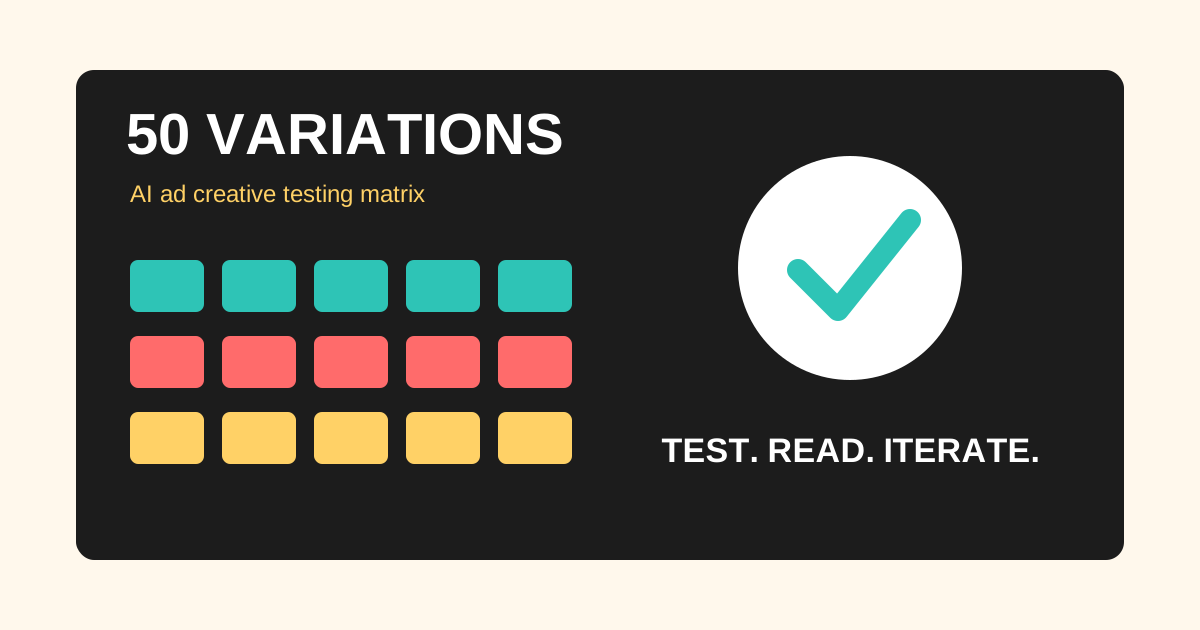
Use five angles, five formats, and two CTAs. That creates 50 variants with enough structure to learn.
| Dimension | Options | Why It Matters |
|---|---|---|
| Angles | Pain, demo, comparison, social proof, offer | Tests the buyer reason to care |
| Formats | Product image, lifestyle image, short video, UGC, founder explainer | Tests the delivery style |
| CTAs | Try it now, see how it works | Tests action framing |
| Platforms | TikTok, Reels, Shorts, Meta feed | Tests native format fit |
| Decision layer | Hook rate, CTR, CVR, CPA, qualitative review | Prevents judging by taste only |
Here is the actual math:
5 creative angles x 5 formats x 2 CTA endings = 50 ad variants
Angles:
- Pain point
- Product demo
- Old way vs new way
- Trust/proof
- Offer/value
Formats:
- Static product image
- Lifestyle image
- Short product video
- UGC-style video
- Founder/operator explainer
CTAs:
- Try it now
- See how it works
As of July 2026, major ad platforms increasingly reward creative variety. TikTok's official guidance suggests diversified ad groups and different creatives. Meta publicly talks about creative diversification. Google responsive display ads use asset-based inputs that can be assembled into many combinations. The direction is clear: the creative system needs more useful inputs.
Who Should Use This
Use this workflow if you are an ecommerce founder, growth marketer, agency strategist, creator brand, or B2B startup that needs more creative learning without booking actors, editors, photographers, and designers for every test.
Do not use this workflow if you cannot read the results. If your budget is too small, your conversion tracking is broken, or your offer changes daily, 50 variants may create noise. In that case, run 10 to 15 variants first.
Step 1: Write The Test Question
Before generating anything, write one sentence:
We are testing whether [audience] responds better to [angle A] or [angle B] when shown as [format].
Examples:
- "We are testing whether skincare buyers respond better to routine simplicity or ingredient proof."
- "We are testing whether agencies respond better to speed or quality control."
- "We are testing whether ecommerce founders respond better to product photo transformation or UGC script generation."
If you cannot write the test question, you are not testing. You are decorating.
Step 2: Build The Creative Brief
The brief should include:
- product or offer
- audience
- allowed claims
- forbidden claims
- visual references
- platform
- aspect ratio
- desired formats
- variation list
- CTA options
For AI workflows, include negative constraints. If the product label cannot change, say so. If a synthetic presenter cannot imply personal use, say so. If the ad is for a regulated category, add review rules before generation.
Step 3: Generate Static Images First
Static images are the fastest way to test visual direction. Use Oakgen's image generator for product heroes, lifestyle contexts, problem scenes, comparison frames, and offer visuals.
Create ten to fifteen image variants first. Then select the five strongest directions for video and UGC. This keeps you from spending time animating weak concepts.
Judge images on:
- product accuracy
- immediate clarity
- angle strength
- platform crop
- contrast
- brand fit
Do not pick only the prettiest image. Pick the image that makes the ad's idea easiest to understand.
Step 4: Convert Winners Into Video
Use Oakgen's AI video generator for motion only after the image concept is strong. The best video movements are simple: reveal, zoom, hand interaction, before/after transition, use-case demo, or object motion.
Video variants should change one of these:
- first frame
- first line
- product motion
- proof point
- CTA ending
Avoid creating five visually different videos that all say the same thing. That usually tests production style, not message.
Step 5: Add UGC-Style Ads
UGC-style ads are useful because they test spoken framing. Use Oakgen UGC ads for scripts that explain the product in a feed-native format.
The safest UGC patterns are:
- product walkthrough
- "before you buy" checklist
- old way vs new way
- founder/operator explanation
- educational misconception
- demo with caveat
Be careful with invented testimonials. If the ad sounds like a real customer making a personal claim, you need proof and disclosure review. AI UGC should not become fake word-of-mouth.
Naming Convention
Use a naming convention that preserves the hypothesis.
brand_product_angle_format_platform_cta_variant
oakgen_ugc-speed_product-video_meta_try-now_v01 oakgen_model-choice_founder-explainer_reels_see-how_v02 oakgen_one-photo_lifestyle-image_tiktok_try-now_v03
If you use folders, group by angle first, not by format:
/pain-point /demo /comparison /trust /offer
This matters later. When results come back, you want to know whether "demo" beat "offer," not whether "blue file seven" beat "new final export."
Decision Rules Before Launch
Write decision rules before results arrive.
For awareness campaigns:
- keep variants with strong thumb-stop or view-through signals
- kill variants with weak first-frame retention
- remix winners into new hooks
For traffic campaigns:
- prioritize CTR and landing-page engagement
- watch for clickbait that does not convert
- compare by angle before format
For conversion campaigns:
- prioritize CPA, CVR, ROAS, and qualified conversion quality
- do not kill a strong converter just because it looks less polished
- split winners into new tests by hook and CTA
The point is to avoid post-rationalizing. If the ugly demo wins, the ugly demo won. Your job is to understand why and make the next version better.
What To Do With Winners
When one variant wins, do not just increase spend. Create a second batch around the winning idea.
If a pain-point UGC ad wins, test:
- three new hooks
- two new avatars
- one product demo insert
- two CTA endings
- one short image version for retargeting
If a product image wins, test:
- video reveal
- UGC explanation
- offer overlay
- comparison frame
- landing page hero image
Winners are not final creative. They are clues.
Example 50-Variant Plan
Here is what the plan could look like for a brand selling an AI creative workflow.
| Angle | Static Image | Lifestyle Image | Short Video | UGC | Founder Explainer |
|---|---|---|---|---|---|
| Pain | Messy tool stack | Marketer with too many tabs | Tabs collapsing into one workspace | If your ads all look the same... | Why creative systems break |
| Demo | One brief to many assets | Product photo becoming variants | Image to video reveal | Watch me make five ads | How the workflow works |
| Comparison | Separate tools vs Oakgen | Old shoot vs AI test | Manual export vs one flow | Before you hire creators... | When to use AI first |
| Trust | Quality checklist | Review board | Safe claims list | How to avoid fake UGC | Our quality bar |
Each cell can get two CTA endings: "try it now" and "see how it works." That gives 50 variants without making 50 unrelated ideas. It also lets the team see whether format or angle is doing the work.
For an ecommerce product, the same structure changes:
- pain: clutter, wasted time, failed old solution
- demo: how the product works
- comparison: old method vs product
- trust: materials, guarantee, review-safe proof
- offer: bundle, discount, gift angle
The system stays the same. Only the angle details change.
Launch Notes For Small Budgets
If budget is limited, do not launch all 50 at once. Start with 10:
- five angles
- two formats
- one CTA
Then expand the best two angles into the remaining formats. This staged approach protects budget while still giving you creative learning.
For example, if "old way vs new way" wins in static and UGC, turn it into short video, founder explainer, retargeting image, and landing-page hero creative. If "offer" loses everywhere, do not keep forcing the offer. Fix the value proposition or move the offer deeper in the funnel.
AI makes it cheap to create options. It does not make attention cheap. Use the first batch to find the message people actually care about.
What To Record In The Creative Log
Keep a simple creative log beside the ad account. It can be a spreadsheet, Notion table, or internal dashboard. The point is to preserve what each asset was trying to test.
Record:
- file name
- campaign and ad set
- audience
- angle
- format
- first frame
- hook
- CTA
- product scene
- claim type
- launch date
- spend
- CTR
- CVR
- CPA or ROAS
- reviewer notes
The reviewer notes matter more than most teams expect. Numbers can tell you which asset won, but notes help you understand why clearly. For example, "demo is clear but first frame is dull" creates a different next test than "hook is strong but product appears too late."
After every batch, write one sentence:
This batch suggests that [audience] responds better to [angle] when shown as [format], but we still need to test [open question].
That sentence turns AI creative generation into learning. Without it, the team just keeps making more ads.
Common Mistakes
The first mistake is making 50 small changes instead of 50 useful tests. Slight background color changes rarely teach as much as different buyer angles.
The second mistake is using AI to create volume but not structure. More outputs do not help if the team cannot read them.
The third mistake is judging too early. Some formats need enough delivery to stabilize. Do not declare winners from tiny samples unless the goal is directional creative review.
The fourth mistake is mixing claim risk into every variant. Keep the claim set controlled, especially for health, finance, income, and testimonial-style ads.
The First 72 Hours
The first 72 hours of a creative test should answer direction questions, not final truth questions.
Watch for:
- which hooks earn thumb-stopping behavior
- which first frames make the category obvious
- whether product appears early enough
- whether UGC-style delivery beats product-only creative
- whether voiceover or talking-head format gets stronger engagement
- whether the CTA is too early, too late, or too vague
Do not overread tiny samples. A small test can tell you which direction deserves more budget. It cannot always prove the final winner.
After 72 hours, sort assets into three groups:
Kill: unclear hook, unsafe claim, weak first frame, no buyer insight.
Iterate: promising angle but weak execution, wrong presenter, weak product shot, or unclear CTA.
Scale cautiously: strong hook, clear message, accurate product, and early efficiency signal.
Then create the next batch from the iterate and scale groups. That is where AI creative starts compounding.
Post-Test Decision Rubric
After the first readout, do not let the meeting become a debate about taste. Use a rubric that separates message, format, offer, and execution.
| Signal | What It Suggests | Next Move |
|---|---|---|
| High hook engagement, low click | The opening earns attention but the product or CTA is weak. | Keep the hook, rewrite the middle, and show the product earlier. |
| Low hook engagement, strong CVR from few clicks | The offer may work, but the first frame is too narrow or unclear. | Keep the landing path and rebuild the first three seconds. |
| UGC beats product-only | The category needs explanation or trust. | Create more presenter-led variants and test objection scripts. |
| Product-only beats UGC | The product visual is self-explanatory. | Invest in better first frames, demos, and offer overlays. |
| Comparison angle wins | Buyers understand the old pain and need contrast. | Make old-way-vs-new-way variants for retargeting and landing pages. |
| Offer angle wins but quality leads drop | The CTA may be attracting the wrong intent. | Test a clearer qualification message before scaling. |
This rubric is especially useful when AI makes it easy to generate more of everything. The answer is not always "make 50 more." Sometimes the answer is "the hook works, but the demo is not credible" or "the format works, but the offer is pulling low-intent clicks."
For each winning asset, write one follow-up hypothesis:
Because [variant] won, we believe [audience] cares about [reason]. Next test: keep [winning element] and change [one variable].
Example:
Because the old-way-vs-new-way UGC ad won, we believe ecommerce founders care more about reducing production friction than model quality. Next test: keep the comparison angle and change the proof moment from "five tools" to "one product photo becomes five ad formats."
That single sentence keeps the creative system honest. It turns performance into a brief for the next batch.
Reusing Winners Beyond The Ad Account
A winning AI ad concept should not stay trapped inside the campaign. Reuse the learning across the whole funnel.
If a hook wins, test it as:
- landing page hero copy
- email subject line
- blog intro angle
- comparison page section
- retargeting ad
- sales deck opener
If a product visual wins, reuse it as:
- first frame for video
- social post image
- marketplace image test
- website section visual
- carousel slide
If a UGC explanation wins, turn it into:
- FAQ answer
- short tutorial
- demo script
- onboarding tooltip
- support article opener
This is one reason to build the batch in Oakgen instead of scattering work across unrelated tools. The same brief can become an ad, image, video, UGC script, and campaign asset. The winning idea can move across formats without the team starting from zero every time.
Sources And Further Reading
- Meta: Demystifying creative diversification
- Meta: Creative fatigue recommendations
- TikTok Ads Manager: Creative best practices
- Google Ads Help: Responsive display ad specs
- FTC: Endorsements, influencers, and reviews
Generate The First Batch
Start smaller if you need to. Ten structured variants beat 50 random ones. But once the brief is clear, AI makes it realistic to build a full creative testing batch without a shoot.
Use Oakgen UGC ads, AI video generation, and AI image generation to generate the first 50-variant system from one campaign brief.