You spent two hours filming, editing, and captioning a Reel. It is sharp, informative, entertaining. You post it. It gets 200 views. Meanwhile, someone else posts a mediocre Reel with half the effort and it gets 10,000 views. What happened?
Often, the difference is the cover image. Instagram Reels covers (also called thumbnails) are the gatekeepers of engagement. When someone visits your profile, they see a grid of cover images -- not the actual video content. That grid is your storefront. If the covers are inconsistent, hard to read, or visually unappealing, visitors bounce without ever pressing play. If they are clean, branded, and curiosity-inducing, people tap through and watch.
Instagram's own data shows that Reels with custom covers receive up to 30% more profile-driven views compared to Reels using auto-selected frames. For creators and businesses who rely on the Reels tab to convert profile visitors into followers and customers, this is not a minor optimization -- it is foundational.
This guide covers everything you need to create Reels covers that earn clicks: sizing specs, design principles, common mistakes, tools, and the workflow for building a cohesive visual grid that makes people follow you on sight.
Why Reels Covers Matter More Than You Think
There are three distinct moments where Reels covers influence your results:
1. The Profile Visit
When someone discovers one of your Reels in the feed or Explore page and taps through to your profile, the first thing they see is your grid. Research from Later (2024) shows that users spend an average of 3-5 seconds evaluating a profile before deciding to follow or leave. Custom Reels covers that form a visually cohesive grid dramatically increase follow rates because they signal consistent, quality content.
2. The Reels Tab
Instagram's Reels tab on your profile shows only your video content. This tab is often the first thing potential followers browse. A wall of random video frames looks chaotic. A wall of branded, consistent covers looks professional and binge-worthy -- like a Netflix catalog rather than a random YouTube search results page.
3. The Search and Explore Algorithm
Instagram's algorithm considers click-through rate when deciding which Reels to surface in Explore and Search. A compelling cover image increases taps, which signals quality to the algorithm, which increases distribution. It is a virtuous cycle.
Most creators focus 80% of their effort on the video itself and 20% on the cover. Flip that ratio for optimization: the video needs to be good, but the cover determines whether the video gets seen at all. A great cover on a good video outperforms a mediocre cover on a great video every time.
Instagram Reels Cover Specs (2025-2026)
Getting the technical specifications right prevents cropping issues, blurry text, and awkward framing.
| Specification | Value |
|---|---|
| Recommended size | 1080 x 1920 pixels (9:16 aspect ratio) |
| Maximum file size | 8 MB |
| Format | JPEG or PNG |
| Safe zone for text | Center 1080 x 1350 area (avoid top and bottom 285px) |
| Grid display crop | Center square (1080 x 1080) of your cover is shown on the profile grid |
| Reels tab crop | Slightly taller rectangle (approximately 1080 x 1350) |
The Critical Safe Zone
This is where most people get covers wrong. Your Reels cover is 9:16 (full phone screen), but Instagram crops it differently depending on where it appears:
- Profile grid: Shows the center square (1:1 crop)
- Reels tab: Shows a taller center rectangle (roughly 4:5 crop)
- Full screen: Shows the complete 9:16 image
Your text and key visual elements must be visible in all three crops. This means placing all important content in the center 1080 x 1080 area, with critical text and imagery concentrated in an even tighter center zone.
Never place text or key visuals in the top or bottom 285 pixels of your Reels cover. These areas get cropped on the profile grid and Reels tab. Additionally, Instagram overlays your username, audio info, and interaction buttons on the bottom portion. Any text there will be obscured.
The Anatomy of a High-Performing Reels Cover
After analyzing thousands of high-engagement Reels from accounts with 10K to 1M+ followers, a clear pattern emerges. The best-performing covers consistently include these elements:
1. A Dominant Visual Element
Every cover needs one element that draws the eye immediately. This is usually:
- A face (human faces are attention magnets -- hardwired into our visual processing)
- A bold product or object (close-up, high contrast)
- A striking illustration or graphic (unique, not generic clip art)
- A dramatic scene or setting (unusual angles, vivid colors)
The visual element should occupy at least 40-60% of the visible cover area. Tiny, centered images surrounded by empty space do not stop the scroll.
2. Clear, Readable Text (3-6 Words Maximum)
Text on Reels covers serves one purpose: give the viewer a reason to tap. It is a micro-headline. It should:
- Be 3-6 words maximum (viewers are scanning, not reading)
- Use large, bold typography (minimum 60px for primary text)
- Have high contrast against the background (white text on dark overlay, or dark text on light background)
- Promise a specific benefit or spark curiosity ("5 Mistakes Killing Your Reach," "The $3 Dinner Hack," "What Nobody Tells You About...")
3. Consistent Brand Framing
The elements that repeat across every cover -- your color palette, font choice, layout structure, and graphic style -- are what create the cohesive grid effect. This does not mean every cover looks identical. It means they share a visual DNA that makes them recognizable as yours.
Design Approaches That Work
Approach 1: The Text Overlay
Best for: Educational, how-to, and tip-based content
A bold headline overlaid on a darkened or blurred background image. This is the most common and reliable format because text communicates the value proposition directly.
Structure:
- Background: Darkened photo/scene or solid color gradient
- Text: 3-5 word headline in bold, high-contrast font
- Optional: Small subtitle or numbering ("Part 1 of 5")
Approach 2: The Photo-Forward Cover
Best for: Lifestyle, fashion, food, travel, and personal brand content
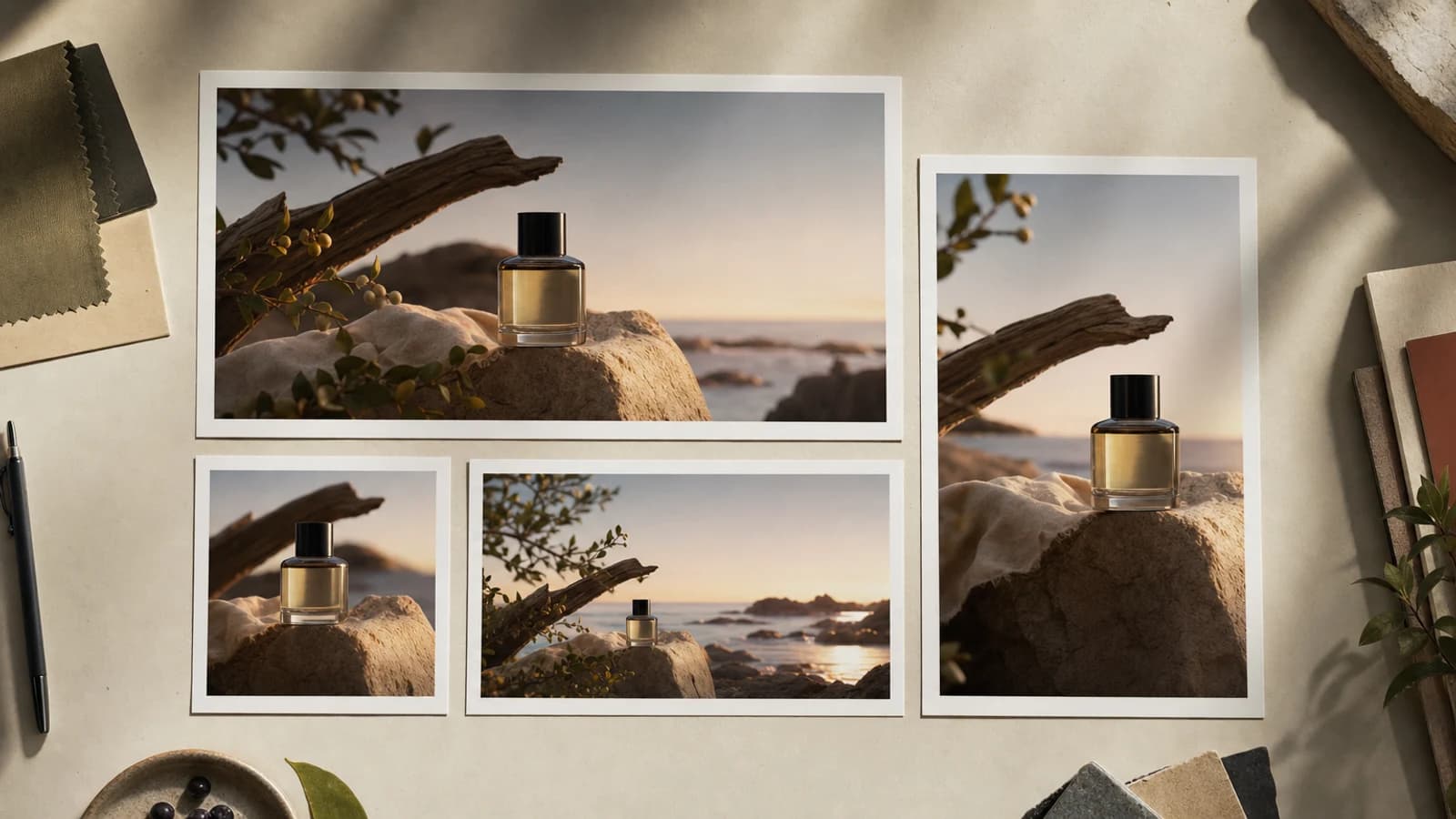
A high-quality photo as the primary element with minimal or no text overlay. The photo itself tells the story. This works when your visual content is inherently compelling.
Structure:
- Background: Full-bleed photograph with slight vignette or color grade
- Optional: Small text label in a corner or along the bottom
- Branding: Consistent color grade or filter across all covers
Approach 3: The Graphic Design Cover
Best for: Brands, businesses, and creators who want a polished, editorial look
Custom-designed graphics that look like magazine covers or editorial layouts. These stand out because most Reels covers are just video frames. A designed cover immediately signals intentionality.
Structure:
- Background: Solid color, gradient, or pattern from your brand palette
- Central graphic: Custom illustration, icon, or AI-generated visual
- Text: Headline in your brand font with supporting copy
| Approach | Visual Impact | Effort Level | Best For | Grid Cohesion |
|---|---|---|---|---|
| Text overlay | High (text reads fast) | Low to medium | Educational and how-to content | Very high (consistent structure) |
| Photo-forward | High (visual storytelling) | Medium (needs good photos) | Lifestyle and personal brands | Medium (depends on photo consistency) |
| Graphic design | Very high (stands out) | Medium to high | Brands and businesses | Very high (fully controlled) |
| Auto-selected frame | Low (random and uncontrolled) | Zero | Never recommended | None (chaotic grid) |
Creating Custom Visuals for Reels Covers
The graphic design approach produces the most professional-looking grid, but it has traditionally required design skills or a designer. Here is where the game has changed.
The AI-Generated Cover Visual Workflow
Instead of searching stock photo libraries for generic backgrounds or spending 30 minutes in Photoshop per cover, you can generate custom visuals tailored to each Reel's topic in seconds.
Using an AI image generator like Oakgen, you can create:
- Custom background scenes that match your brand aesthetic
- Illustrated elements that visually represent your Reel's topic
- Stylized product or concept images that are more eye-catching than photographs
- Consistent brand-style graphics by reusing prompt templates
Example workflow:
- Write your Reel topic: "5 morning habits that changed my productivity"
- Generate a custom visual: "Flat illustration of a sunrise over a minimalist desk with coffee and a journal, warm amber and soft teal color palette, clean lines, editorial style"
- Open Canva or your template editor
- Place the AI-generated visual as the background
- Add your headline text using your brand font
- Export at 1080 x 1920
- Upload as the Reel's custom cover
Total time: 3-5 minutes per cover, down from 15-30 minutes with traditional design methods.
Building a Prompt Template for Consistency
The secret to a cohesive Reels grid using AI visuals is using the same style descriptors in every prompt. Create a base prompt and swap only the subject:
Base prompt: "Flat editorial illustration, [SUBJECT], muted coral and navy color palette, clean vector lines, subtle paper texture, modern minimal style"
Then for each Reel, just change the subject:
- "...sunrise desk scene with journal and coffee..."
- "...woman walking through a city park..."
- "...kitchen counter with fresh ingredients..."
- "...laptop screen showing analytics dashboard..."
Same style, different subjects. The result is a Reels grid that looks curated and intentional.
Generate Reels Cover Visuals in Seconds
Building Your Reels Cover Template System
Consistency at scale requires templates. Here is how to build a system that lets you produce a custom cover for every Reel in under 5 minutes.
Step 1: Choose Your Layout Structure
Pick one or two layouts and use them for every Reel. Variety in covers comes from changing the visual and text -- not the layout. Example layout:
- Top third: Brand color bar or small logo
- Middle third: Main visual (AI-generated or photo)
- Bottom third: Headline text in brand font, high contrast
Step 2: Create a Canva Template
Open Canva (free tier works fine), create a 1080 x 1920 design, and build your layout with placeholder elements. Save it as a template. For each new Reel, duplicate the template, swap the visual and text, and export.
Step 3: Batch Your Cover Production
Do not create covers one at a time. Every week (or biweekly), sit down and:
- List the Reels you plan to post
- Generate all AI visuals in one batch session
- Drop them into your templates
- Export all covers
- Save them in a labeled folder (date + topic)
This batch approach takes 30-45 minutes for 8-12 covers. Compared to creating each cover ad hoc, you save hours per month and produce a more consistent grid.
Common Reels Cover Mistakes (and Fixes)
Mistake 1: Too Much Text
If your cover has more than 6 words, it will not be read at thumbnail size. Remember: the cover is a micro-headline, not a paragraph. Distill your Reel's value into the fewest possible words.
Bad: "Here Are 5 Morning Habits That Completely Changed My Productivity Routine" Good: "5 Habits That Changed Everything"
Mistake 2: Low Contrast Text
Text that blends into the background is invisible at thumbnail size. Always use a semi-transparent overlay behind text (black at 50-70% opacity for dark backgrounds, white at 50-70% for light). Or place text on a solid color block.
Mistake 3: Using the Auto-Selected Frame
Instagram auto-selects a frame from your video as the default cover. This frame is almost never the best option. It is random, blurry (often a transition moment), and does not represent the Reel's content. Always upload a custom cover.
Mistake 4: Inconsistent Grid Aesthetic
If your covers alternate between wildly different styles, colors, and layouts, your Reels tab looks disorganized. Visitors see chaos and scroll away. Pick a style and commit to it.
Mistake 5: Ignoring the Safe Zone
Text that gets cropped on the profile grid defeats the purpose of having a cover. Always design within the center 1080 x 1080 safe zone for critical elements.
Advanced Strategy: The Themed Grid Pattern
Some high-performing accounts use alternating cover colors or a repeating pattern (e.g., alternating between two or three cover styles) to create a visually striking grid. When viewed from the profile, this creates a checkerboard, column, or row pattern that looks intentional and curated.
Examples:
- Two-color alternation: Odd posts use a navy background, even posts use a coral background
- Three-style rotation: Every first post is text-only, second is photo-forward, third is graphic -- repeating
- Column theme: Left column is tips, middle column is behind-the-scenes, right column is tutorials -- each with its own cover color
This requires planning your posting schedule in advance, but the visual impact on profile visitors is significant.
Measuring Reels Cover Performance
How do you know if your covers are working? Track these metrics:
- Profile visits from Reels -- Instagram Insights shows how many profile visits each Reel generated. Higher numbers indicate your cover (and content) are driving curiosity.
- Follow rate after profile visit -- If people visit your profile but do not follow, your grid (covers) may not be converting. Test new cover styles.
- Reels tab engagement -- Compare the view counts of Reels posted with custom covers versus those without. The difference is your cover's impact.
- Share rate -- Reels with compelling covers get shared more often because the thumbnail looks good in DMs and stories.
Frequently Asked Questions
Can I change a Reels cover after posting?
Yes. Go to your Reel, tap the three-dot menu, select "Edit," and then "Edit cover." You can upload a new custom cover image or select a different frame from the video. This is useful for replacing auto-selected frames on older Reels that are still getting traffic.
What size text is readable at thumbnail size?
For the primary headline, use a minimum font size equivalent to 60-80 pixels in a 1080 x 1920 canvas. For secondary text (subtitles or labels), use a minimum of 36-40 pixels. Test by viewing your cover at thumbnail size on your phone before posting. If you have to squint, the text is too small.
Should I include my logo or handle on every Reels cover?
Only if it does not compete with the headline for attention. A small, subtle logo in a corner (consistent position on every cover) adds brand recognition without cluttering the design. Your handle is already displayed by Instagram beneath the Reel, so including it on the cover is redundant. Prioritize the headline and visual.
How often should I refresh my Reels cover style?
Refresh your cover style every 3-6 months, or whenever you notice engagement plateauing. A style refresh does not mean starting from scratch -- it means evolving your current approach (updated colors, slightly different layout, new visual treatment). Major overhauls that break your grid's consistency should be rare. When you do refresh, go back and update the covers on your top 10-20 performing Reels to match the new style.
Do Reels covers affect the algorithm directly?
Instagram has not confirmed that covers directly affect algorithmic ranking. However, covers indirectly affect every metric the algorithm does use: click-through rate, watch time (via enticing the viewer to tap), profile visits, and follow rate. A cover that earns more taps leads to more views, which leads to more engagement, which leads to more distribution. The effect is indirect but substantial.