Alibaba's Wan v2.6 has quickly become one of the most talked-about AI video models of 2026. At roughly 7 credits per generation on Oakgen (~$0.035), it delivers 1080p video with multi-shot narratives, image-to-video capability, and reference-based character consistency -- all at a fraction of what competing models charge.
But "affordable" does not mean "simple." Wan v2.6 has a specific set of strengths and quirks, and the difference between a mediocre output and a genuinely impressive one often comes down to how you configure your settings. This guide walks through every parameter that matters, with tested recommendations for getting the most realistic motion out of the model.
What Makes Wan v2.6 Different
Before diving into settings, it helps to understand what Wan v2.6 is designed to do well -- and where it falls short compared to premium alternatives.
Strengths
- Multi-shot narratives. Wan v2.6 is one of the few models that supports intelligent scene segmentation. You can describe multiple connected scenes in a single prompt, and the model generates coherent transitions between them.
- Budget-friendly iteration. At 7 credits per generation, you can afford to experiment. Premium models like Kling 3.0 or Veo 3.1 produce higher quality, but each generation costs significantly more. Wan lets you prototype ideas cheaply before committing expensive credits to a final render.
- Three generation modes. Text-to-video, image-to-video, and reference-to-video give you flexibility depending on your starting point.
- 1080p output. Native 1080p resolution is competitive with models that cost 5-10x more.
Limitations
- Motion complexity. Wan handles simple and moderate motion well -- walking, camera pans, environmental movement. It struggles with fast action sequences, complex multi-character interactions, and physics-heavy scenarios.
- Fine detail at distance. Faces and hands at medium-to-far distances can lose coherence. Close-up shots render more reliably.
- Temporal consistency over long durations. For clips beyond 4 seconds, objects and textures can drift. Shorter clips are more stable.
Use Wan v2.6 for prototyping, storyboarding, social media shorts, and volume content where cost efficiency matters. Switch to Kling 3.0, Seedance 2.0, or Veo 3.1 for hero content, client deliverables, or scenes requiring complex motion and photorealistic detail.
Text-to-Video: Optimal Settings
Text-to-video is Wan v2.6's primary mode. You provide a text prompt, and the model generates a video clip from scratch.
Resolution and Aspect Ratio
Wan v2.6 supports up to 1080p across multiple aspect ratios. Here is what works best:
- 16:9 (1920x1080) -- The default choice for most content. Best overall quality and temporal stability.
- 9:16 (1080x1920) -- Vertical format for TikTok, Reels, and Shorts. Quality is comparable to 16:9, but vertical compositions sometimes introduce more edge artifacts.
- 1:1 (1080x1080) -- Square format for Instagram feed posts. Stable and predictable.
Recommendation: Stick to 16:9 unless your platform requires a different aspect ratio. Wan's training data skews toward landscape compositions, and 16:9 tends to produce the most natural-looking results.
Prompt Structure for Realistic Motion
The single most impactful setting is your prompt. Wan v2.6 responds best to structured, cinematic descriptions. Here is the formula that consistently produces the best results:
Formula: [Camera motion] + [Subject action] + [Environment] + [Lighting/mood] + [Style reference]
Example prompts that work well:
Slow dolly forward through a sunlit forest path, dappled light filtering through oak branches, a woman in a linen dress walks away from camera, golden hour lighting, cinematic color grading, shallow depth of field
Static wide shot of a busy Tokyo street at night, rain-wet pavement reflecting neon signs, pedestrians with umbrellas crossing in both directions, atmospheric fog, anamorphic lens flare
Smooth tracking shot following a golden retriever running along a beach shoreline, waves crashing in background, sunset lighting, warm tones, 35mm film grain
What to avoid:
- Abstract or metaphorical descriptions ("the essence of loneliness" -- Wan needs concrete visual instructions)
- Too many simultaneous actions (keep to 1-2 subjects doing 1-2 things)
- Rapid motion descriptions ("explosion," "car chase," "sprint" -- these exceed the model's motion fidelity)
Motion Control Tips
Wan v2.6 excels at specific types of motion. Understanding which movements render well will dramatically improve your results.
High-fidelity motion (works reliably):
- Slow camera pans and dolly movements
- Walking, turning, and gentle gestures
- Environmental motion: clouds, water, leaves, fabric in wind
- Gradual lighting changes (sunrise, sunset transitions)
Medium-fidelity motion (works with careful prompting):
- Moderate-speed camera tracking
- People sitting, standing, reaching
- Vehicle motion at moderate speeds
- Animal locomotion (walking, trotting)
Low-fidelity motion (frequently produces artifacts):
- Running, jumping, dancing
- Fast camera movements
- Complex hand interactions (typing, cooking, playing instruments)
- Multi-person choreographed movement
| Motion Type | Quality | Recommended Approach |
|---|---|---|
| Slow camera pan | Excellent | Use freely -- Wan's sweet spot |
| Walking subjects | Very Good | Keep 1-2 subjects, medium distance |
| Water/weather | Excellent | Rain, waves, clouds render beautifully |
| Running/fast action | Poor | Avoid or switch to Kling 3.0 |
| Hand interactions | Fair | Frame hands out of shot when possible |
| Multi-shot narrative | Good | Use scene separators, keep to 2-3 shots |
| Facial expressions | Good (close-up) | Keep subjects within mid-close range |
Image-to-Video: Getting the Best Results
Image-to-video mode takes a reference image and animates it. This is often the most reliable way to get high-quality output from Wan v2.6, because the model starts with a known visual foundation rather than generating everything from scratch.
Best Source Images
Not all images animate equally well. Wan v2.6 produces the best image-to-video results from:
- High-resolution photographs with clear subjects and natural lighting
- Images with implied motion -- a person mid-stride, a flag partially unfurled, a wave about to break
- Simple compositions with 1-2 main subjects and an uncluttered background
- Well-lit scenes without extreme shadows or blown-out highlights
Animation Prompts
When using image-to-video, your text prompt should describe the motion you want, not the scene itself (the image already provides that):
The woman slowly turns her head to the right and smiles, her hair moves gently in a breeze
Gentle camera push-in, the water in the background begins to ripple, clouds drift slowly across the sky
The dog lifts its head, looks toward camera, tail begins wagging, shallow depth of field maintained
Avoid re-describing what is already in the image. The model uses the image as its visual anchor. Your prompt should only add temporal information -- what moves, how fast, and in what direction.
If you need one specific shot to look exceptional, generate a high-quality still image first using Flux 2 Pro Max or Reve Image 1.0, then animate it with Wan v2.6 image-to-video. The still image provides the visual quality, and Wan adds the motion. This two-step workflow often produces better results than text-to-video alone.
Reference-to-Video: Maintaining Character Consistency
Wan v2.6's reference-to-video mode lets you provide a reference image of a character and maintain their appearance across multiple video generations. This is essential for anyone creating narrative content with recurring characters.
How Reference Mode Works
You provide a reference image of a character alongside your video prompt. Wan extracts the character's visual identity -- face, clothing, body proportions -- and maintains it in the generated video, even in different scenes, angles, and lighting conditions.
Best Practices
- Use clear, well-lit reference images with the character facing the camera. Three-quarter views also work well.
- Keep clothing consistent in your prompts. If your reference shows a person in a red jacket, mention "wearing a red jacket" in subsequent prompts.
- Limit to 1-2 referenced characters per generation. The model handles single-character reference most reliably.
- Accept ~85% consistency. Reference mode is not perfect. Minor variations in facial features, hair style, and proportions are common. For critical consistency, Flux Kontext or Kling's character lock features are more reliable but cost more.
Multi-Shot Narratives: Scene Transitions
Multi-shot is Wan v2.6's signature feature. You can describe 2-3 connected scenes in a single prompt, and the model generates a coherent video with transitions between them.
Structuring Multi-Shot Prompts
Use clear scene separators in your prompt. Wan responds well to numbered scenes or explicit transition cues:
Scene 1: Wide establishing shot of a mountain village at dawn, mist rising from the valley. Scene 2: Medium shot of a baker opening wooden shutters on a shop window, warm light spilling out. Scene 3: Close-up of hands kneading bread dough on a flour-covered surface.
Multi-Shot Best Practices
- Stick to 2-3 scenes. More than 3 scenes compress each segment's duration, reducing quality.
- Maintain visual continuity -- same lighting conditions, color palette, and environment across scenes.
- Use progressive camera distances (wide > medium > close) for a natural narrative arc.
- Keep individual scene descriptions concise. Each scene gets limited model attention. Dense descriptions per scene reduce overall quality.
Settings Cheat Sheet
Here is a quick-reference for the optimal Wan v2.6 settings across common use cases:
| Use Case | Mode | Resolution | Key Prompt Strategy |
|---|---|---|---|
| Social media short | Text-to-video | 9:16 1080p | Single action, clear subject, 2-3 seconds |
| Product showcase | Image-to-video | 16:9 1080p | Start from product photo, add gentle motion |
| Storyboard previz | Multi-shot | 16:9 1080p | 2-3 scenes, progressive camera distances |
| Character content | Reference-to-video | 16:9 1080p | Clear reference image, consistent clothing |
| Landscape/nature | Text-to-video | 16:9 1080p | Environmental motion, slow camera movement |
| Talking head (basic) | Image-to-video | 9:16 1080p | Start from headshot, describe subtle expression changes |
Wan v2.6 vs. Competing Models
How does Wan v2.6 stack up against the other video models available on Oakgen?
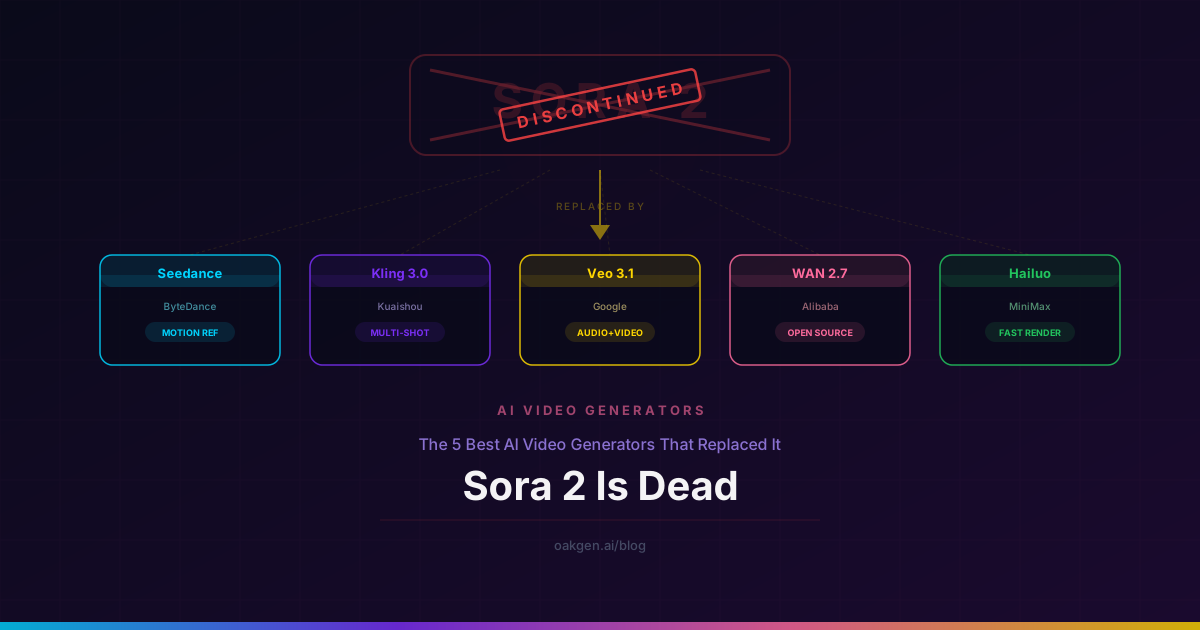
- Kling 3.0 -- Superior motion quality, better temporal consistency, photorealistic humans. But costs significantly more per generation. Use Kling for final renders; use Wan for iteration.
- Seedance 2.0 -- Excellent at dance and complex human motion. Better for action-heavy content. Wan wins on cost and multi-shot capability.
- LTX Video 2 Fast -- Even cheaper and faster than Wan, but lower quality. Use LTX for rapid rough cuts, Wan for presentable drafts.
- Veo 3.1 -- Google's flagship. Best overall quality, but highest cost. Wan is not competing with Veo on quality -- it is competing on accessibility.
The right approach for most creators is a tiered workflow: Wan v2.6 for exploration and prototyping, then re-render your best concepts with a premium model.
Common Mistakes and How to Fix Them
Problem: Faces look distorted or inconsistent. Fix: Use closer camera angles. Specify "medium close-up" or "close-up" framing. Avoid wide shots with small faces.
Problem: Motion is jittery or unnatural. Fix: Slow everything down. Replace "walks quickly" with "walks slowly." Replace "camera tracks" with "smooth, slow camera drift." Wan's motion model is most stable at lower speeds.
Problem: Multiple subjects merge or interfere. Fix: Limit to 1-2 subjects per scene. Describe clear spatial separation ("a woman on the left, a man seated on the right").
Problem: Multi-shot transitions are abrupt. Fix: Maintain consistent lighting and color descriptions across all scenes. Add transition cues like "dissolve to" or "cut to."
Problem: Generated video looks "AI" with plastic textures. Fix: Add texture and imperfection cues to your prompt: "film grain," "shallow depth of field," "natural skin texture," "ambient dust particles." These cues push the model toward more organic rendering.
Wan v2.6 is a budget model that punches above its weight. It does not replace Kling 3.0, Veo 3.1, or Seedance 2.0 for complex motion or photorealistic quality. Its value is in the iteration speed and cost efficiency it provides. Use it where those qualities matter most.
Frequently Asked Questions
What is the best resolution setting for Wan v2.6?
16:9 at 1080p (1920x1080) is the optimal default. This aspect ratio aligns with Wan's training distribution and produces the most stable, highest-quality output. Use 9:16 only when you specifically need vertical video for platforms like TikTok or Instagram Reels.
How long can Wan v2.6 videos be?
Individual generations produce clips of approximately 4-5 seconds. For longer content, generate multiple clips and edit them together. Multi-shot mode lets you create narrative sequences within a single generation, but each shot within the sequence is still limited to a few seconds.
Can Wan v2.6 generate realistic human motion?
It handles moderate human motion well -- walking, turning, gesturing, sitting, and standing. It struggles with fast or complex motion like running, dancing, sports, or fine hand movements. For realistic human action sequences, Kling 3.0 or Seedance 2.0 are better choices.
Is Wan v2.6 good enough for client work?
For social media content, storyboard previsualization, and draft concepts, yes. For final deliverables where quality is paramount -- advertisements, brand videos, polished content -- you will likely want to re-render with a premium model. Wan excels as a prototyping tool that saves credits during the creative process.
How does multi-shot mode work?
Describe 2-3 scenes in your prompt using numbered scenes or clear transitions. Wan segments the generation into connected shots with automatic transitions. Keep to 2-3 scenes for best quality, maintain visual consistency across scenes, and use progressive camera distances (wide to close) for a natural narrative flow.
Try Wan v2.6 on Oakgen
Generate 1080p AI video with multi-shot narratives at just 7 credits per generation. Text-to-video, image-to-video, and reference-to-video -- all from one platform.