The best AI image model for ads is the one that fits the asset you are trying to make. A product hero image, TikTok thumbnail, display banner, lifestyle scene, text-heavy promo, and campaign mood board need different strengths.
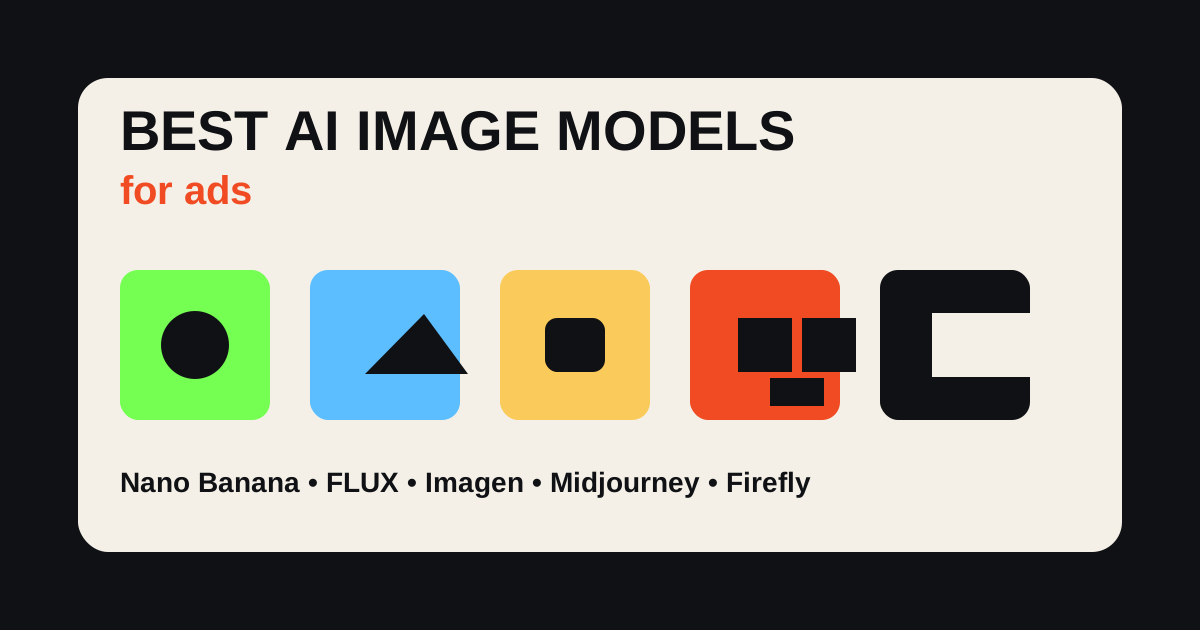
As of July 2026, I would think of the main models this way: Nano Banana for fast image generation and editing, FLUX for controllable production output, Imagen for photorealism and text-aware visuals, Midjourney for art direction, and Adobe Firefly for commercially oriented creative workflows. Use Oakgen's AI image generator when those ideas need to become ad assets, product videos, and campaign variations.
Generate Ad Images in Oakgen
Create product visuals, campaign images, thumbnails, and ad variations with AI image workflows built for marketers.
Quick Comparison
| Model | Best Ad Use Case | Strength | Weakness |
|---|---|---|---|
| Nano Banana | Fast edits and iterative ad concepts | Conversational editing and speed | Model names and access can shift across Google products |
| FLUX | Controlled product and campaign visuals | Quality, speed, consistency, text-oriented control | Commercial access varies by variant and platform |
| Imagen | Photorealistic images and clearer text | High-quality realistic output | Google notes older Imagen API docs may migrate toward Nano Banana |
| Midjourney | Mood, style, editorial art direction | Beautiful compositions and visual taste | Less ideal when exact product accuracy is mandatory |
| Adobe Firefly | Commercial creative workflows | Adobe ecosystem and commercial-use positioning | May feel less adventurous than taste-first models |
| Oakgen | Ad workflow and model-backed creation | Images, video, UGC, variants in one place | Requires a clear campaign brief |
Methodology and Scope
This is not a generic AI art ranking. It is about ad use cases:
- product hero images
- ecommerce lifestyle scenes
- social thumbnails
- display ad concepts
- landing page visuals
- UGC support images
- campaign mood boards
- image-to-video starting frames
- multi-variant ad testing
No fake benchmark scores are included. Model access, pricing, commercial terms, and capabilities change quickly, so verify official pages before committing to a production workflow.
Nano Banana for Ads
Google's Nano Banana branding now refers to Gemini's native image generation and editing capabilities, with Google AI Studio and Gemini pages emphasizing image creation, editing, and upscaling. Google has also promoted Nano Banana Pro in Google Ads Asset Studio, which makes it especially relevant for ad teams.
Use Nano Banana-style workflows for:
- quick product scene exploration
- background changes
- social ad concepts
- fast thumbnail variants
- campaign ideation
- text-aware visual drafts
- editing existing images with natural language
Where I would be careful: naming and access shift across Google products. As of July 2026, Google also references Nano Banana 2 and Nano Banana 2 Lite in current ecosystem coverage. If you are writing production docs, use "as of [date]" and link to the official Google page you rely on.
For ads, Nano Banana's biggest value is speed. It helps you try more visual angles before you spend time polishing one.
FLUX for Ads
FLUX, from Black Forest Labs, is strong when the ad image needs control, clarity, and production usefulness. The official FLUX.2 page emphasizes quality, speed, controllability, large text-input context, and enterprise-grade consistency.
Use FLUX for:
- product mockups
- campaign key visuals
- controlled art direction
- ad images with specific text needs
- style-consistent image sets
- professional-grade output
In FLUX vs Midjourney for ads, I would usually start with FLUX when the ad has to obey a brief. I would start with Midjourney when the job is taste exploration.
The watchout: FLUX variants have different licenses and access paths. Check the exact model and provider before using outputs commercially.
Imagen for Ads
Google's Imagen pages describe Imagen 4 as a high-quality text-to-image model with photorealistic images, sharper clarity, and improved spelling and typography. Google's Gemini API docs also note that some Imagen routes are being deprecated and direct users toward Nano Banana for image generation.
That makes Imagen relevant, but date-sensitive.
Use Imagen-style workflows for:
- photorealistic ad concepts
- clean product environments
- lifestyle visuals
- text-aware compositions
- high-quality campaign mockups
For ad teams, the practical point is this: Google's image models are increasingly connected to Gemini, AI Studio, and Ads workflows. That can be useful if your campaign production already lives in Google systems.
Midjourney for Ads
Midjourney remains useful for taste. It is strong at mood, lighting, editorial style, cinematic compositions, fashion-like visuals, and concept exploration.
Use Midjourney for:
- campaign mood boards
- visual territory exploration
- premium-feeling concepts
- fashion and lifestyle art direction
- unusual compositions
- brand worldbuilding
Where it can be weaker for ads: exact product accuracy, repeatable production systems, and highly constrained layouts. If the product label must be perfect, do not trust a beautiful image without review.
Midjourney can be a great creative director. It is not always the safest production operator.
Adobe Firefly for Ads
Adobe Firefly is useful for ad teams because Adobe has positioned it around commercial creative use, Creative Cloud integration, and responsible model development. Adobe's Firefly plan pages state that outputs generated with Firefly models can be used for commercial purposes, but always check current terms.
Use Firefly for:
- commercial campaign concepts
- Adobe workflow integration
- image edits inside design workflows
- brand-safe exploration
- teams already using Photoshop, Illustrator, or Creative Cloud
Firefly may not always produce the wildest image. That can be a feature when the goal is brand-safe production.
Oakgen for Ad Image Workflows
Oakgen is not just "one model." It is the place where the image becomes part of the campaign.
Use Oakgen when you need:
- ad images
- product shots
- image-to-video first frames
- UGC support visuals
- campaign variants
- thumbnails
- social cutdowns
- model choice without rebuilding workflow
The strongest workflow is:
- generate image concepts
- choose first frames
- turn winners into AI videos
- create UGC ad versions
- export variants for testing
Turn AI Images Into Full Ad Campaigns
Use Oakgen to create ad images, product visuals, AI videos, and UGC-style creative from the same campaign idea.
Model-by-Ad-Asset Matrix
| Ad Asset | Best First Pick | Why | Review Carefully |
|---|---|---|---|
| Product hero image | FLUX or Imagen | Control and realism matter | Label, scale, packaging |
| Fast social variants | Nano Banana | Speed and editing matter | Brand consistency |
| Campaign mood board | Midjourney | Taste and visual range matter | Practical production fit |
| Commercial design workflow | Firefly | Adobe ecosystem and commercial positioning | Current plan terms |
| Image-to-video first frame | Oakgen + model choice | The image must become a video asset | Motion feasibility |
| Text-heavy promo | FLUX or Imagen | Text clarity matters | Spelling, layout, legal copy |
Prompt Patterns for Ad Images
Product hero
Photorealistic ecommerce ad image of [product] on [surface], soft directional light, clean composition, realistic scale, brand colors [colors], no extra text, no label changes.
Lifestyle scene
[Product] in a realistic [environment] used by [audience], natural light, casual advertising photography, product visible and centered, no exaggerated claims.
Thumbnail
High-contrast vertical social ad thumbnail for [product category], clear product silhouette, simple background, one strong focal point, space for headline text.
Campaign mood
Editorial campaign visual for [brand style], [audience], [emotion], [setting], premium composition, no readable text, suitable for paid social concepting.
Product comparison
Clean comparison-style ad visual showing [product] as the simple alternative to [problem], minimal layout, no fake labels, realistic product scale.
Common Mistakes
The first mistake is using the prettiest image as the ad. The best ad image is clear, specific, and tied to an offer.
The second mistake is not preserving product accuracy. AI can change labels, proportions, materials, and packaging.
The third mistake is putting final legal copy inside generated images. Add important copy in a design layer you control.
The fourth mistake is ignoring the next step. If the image needs to become video, create it as a first frame with motion in mind.
The fifth mistake is treating one model as a religion. Use the model that fits the asset.
What I Would Use
For ecommerce ad testing, I would start in Oakgen:
- use AI image generation for first-frame concepts
- test FLUX-style precision for product clarity
- test Nano Banana-style speed for variants
- use Midjourney-style mood exploration when the brand world is unclear
- turn winning frames into AI video
- build UGC ads around the strongest angle
The goal is not one beautiful image. The goal is a repeatable ad creative system.
How To Test Image Models For Ads
Do not test image models with fantasy prompts if your real work is advertising.
Use the same practical brief across models:
Create a 9:16 paid social ad image for [product]. Audience: [buyer] Message: [single claim or promise] Scene: [specific environment] Lighting: [specific light] Product requirements: keep shape, color, label, and scale accurate Avoid: extra logos, unreadable text, fake claims, distorted hands
Then score the outputs on ad-specific criteria:
- first-frame clarity
- product accuracy
- brand fit
- room for headline or CTA
- mobile readability
- realism at scroll speed
- ability to become a video first frame
This kind of test will often produce a different winner than a general "best AI image generator" review. An image model can be excellent for surreal art and still weak for product advertising.
The No-Text Rule
For most generated ad images, avoid asking the model to create final text inside the image. Text fidelity is better than it used to be, but the risk is still unnecessary for paid ads. Generate the image cleanly, then add offer, CTA, legal copy, and disclaimers in a design layer you control.
This also makes testing easier. You can keep the same image and test three headlines without regenerating the whole asset.
A Practical Ad Image Stack
Most ad teams need three image layers.
Concept images help decide the world of the campaign: setting, mood, buyer moment, visual metaphor, and product context. These can be rough.
Production images need higher product accuracy and cleaner composition. These are the images you might actually use in paid social or on a landing page.
Design-layer images leave room for headline, offer, CTA, disclaimers, and brand marks. They should not contain critical generated text.
The mistake is asking one model output to be all three. Start with concepting, then narrow into production, then design around the winner. Oakgen makes that easier because the same winning image can become a product video first frame or a UGC ad cutaway.
Model Testing Cadence For Ad Teams
Do not test every model every week. That creates noise.
Pick one campaign brief and run it through two or three candidate models. Keep the product reference, aspect ratio, scene, and message the same. Change only the model or workflow. Then score the outputs before anyone edits them.
For each model, save:
- prompt
- reference image
- output
- pass/fail reason
- best use case
- commercial-term note
- whether the image can become a video first frame
After three or four campaigns, your team will have a more useful internal model guide than most public ranking posts. You may find that one model wins for product clarity, another wins for lifestyle scenes, and another wins for mood boards.
Use Oakgen to keep this testing grounded in campaign output. The point is not to admire models. The point is to decide which image is strong enough to become an ad, video, UGC cutaway, or landing-page visual.
The Bottom Line For Ad Teams
For ads, image models should be judged by usefulness, not novelty. The best output is the one that helps the buyer understand the offer, preserves product trust, and gives the team a usable first frame or static creative.
Use model comparisons to pick a starting point, but build your own small benchmark. Your products, claims, and brand constraints will expose weaknesses that generic tests miss.