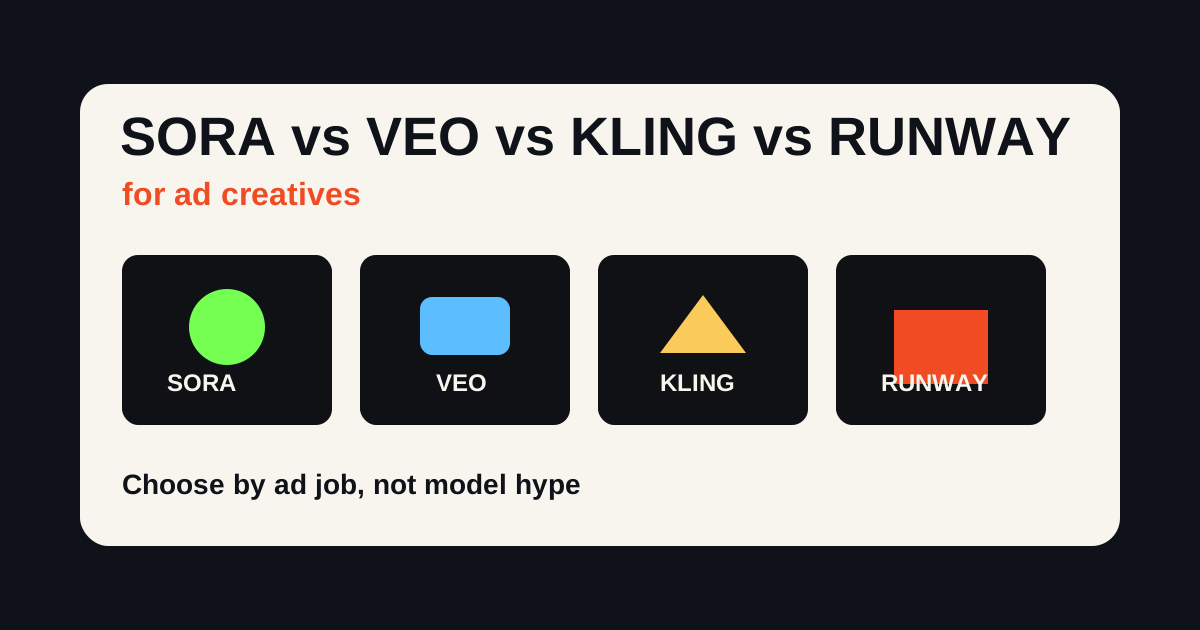
The honest answer to Sora vs Veo vs Kling vs Runway for ads is that no single model wins every ad job. A product close-up, UGC-style hook, cinematic brand film, vertical social clip, and paid ad variation set are different creative problems.
As of July 2026, I would not choose an AI video model first. I would choose the ad job first, then choose the model or workflow. For performance marketing, the winning output is not the prettiest clip. It is the clip that communicates the offer, keeps the product recognizable, fits the platform, and can be tested in variations.
Disclosure: Oakgen is our product. We include it because it is relevant to this workflow, but the comparison also covers where standalone tools may be better. Oakgen's role is not "be Sora" or "be Veo." It is to help teams use AI video generation as part of a broader creative workflow.
Test AI Video Models for Ad Creative
Use Oakgen to generate product videos, UGC-style clips, and ad variations from one creative workflow.
Quick Verdict for Ad Creatives
| Model or Workflow | Best For Ads | Weakness | Use When |
|---|---|---|---|
| Sora | Creative concepts, physics-heavy scenes, cinematic ideas | Access, policy, and workflow details can change | You need concept quality more than ad-system speed |
| Veo | Cinematic product films, audio-aware scenes, polished video | Can be overkill for quick ad tests | You need high-quality story or product motion with sound |
| Kling | Short social clips, product motion, fast visual impact | May need careful review for brand/product accuracy | You need strong short-form visual output |
| Runway | Directed edits, brand films, controlled creative workflows | Can take more production effort | You want creative control, not just a prompt box |
| Oakgen | Ad workflow, iteration, multi-format production | Not a single standalone frontier model | You need to create, compare, and ship ad assets |
Methodology and Scope
This comparison is about ads, not general filmmaking. A model can be excellent for short films and still be awkward for ecommerce creatives.
The criteria here are:
- product clarity
- first-frame strength
- motion believability
- vertical social fit
- audio or voice workflow
- ability to generate variations
- editing and iteration speed
- usefulness for paid social testing
- risk of misleading product output
I am not claiming exact benchmark scores, conversion rates, or cost-per-result data. Those depend on account, prompt, region, model access, subscription tier, and campaign. The goal is to help you pick the right model for the ad job.
Sora for Ads: Best for Concepts, Not Always the Production System
Sora's appeal is creative range. It can produce scenes that feel physically coherent and visually imaginative, which is useful when you are developing a concept before production.
For ads, I would use Sora for:
- mood exploration
- surreal product concepts
- visual metaphors
- founder pitch films
- high-concept brand experiments
- previsualization before a shoot
Where this breaks: performance ads usually need repeatability. You need ten versions of a product shot, not one beautiful clip that is hard to edit around. You also need to be careful about product accuracy, claims, likeness, rights, and platform policies.
If your ad depends on exact packaging, readable labels, or a real product behavior, treat Sora output as concept material until reviewed.
Veo for Ads: Strong When Video and Audio Need to Work Together
Google's Veo is positioned around high-fidelity video generation, and current official pages emphasize video with audio. For ad creatives, that matters. Many AI video tools can produce motion, but audio-aware scenes make product films and social clips feel more complete.
I would use Veo for:
- cinematic product reveal clips
- brand films
- social ads with environmental sound
- lifestyle scenes
- product-in-context videos
- high-quality short narrative ads
The weakness is speed of testing. A highly polished Veo-style clip may be more expensive and slower to iterate than simple UGC variants. For performance marketing, do not spend all your production energy on one beautiful output before testing the hook.
Good prompt pattern:
Vertical 9:16 product ad for a premium insulated coffee tumbler on a kitchen counter in morning light. Slow handheld camera push-in, condensation on the cup, natural room tone, no text, realistic product scale, clean lifestyle advertising style.
Then create variants by changing first frame, setting, camera motion, and product context.
Kling for Ads: Strong Short-Form Visual Output
Kling is a practical ad model because it is oriented toward short clips, visual polish, and social-media-friendly outputs. Official Kling pages currently describe video, image, sound, and creative studio tooling, with newer versions emphasizing 4K and multimodal control.
For ads, I would use Kling for:
- product motion clips
- TikTok and Reels b-roll
- fast product reveals
- lifestyle cutaways
- ecommerce product videos
- visual hooks
The risk is the same as with most video models: it can make a product look better, different, larger, smaller, or more functional than reality. That is fine for concept testing. It is not fine for final ads if it misrepresents the product.
Use reference images whenever possible. Keep prompts concrete. Avoid asking for too many simultaneous actions.
Runway for Ads: Strong When Control Matters
Runway is less interesting as "one more video model" and more interesting as a creative production environment. Its value for ad teams is control: image-to-video, editing workflows, motion direction, inpainting-style fixes, and production features around generated video.
I would use Runway for:
- director-controlled brand clips
- edits that need iteration
- character or object continuity tests
- product videos with a stronger post-production layer
- creative teams that want more knobs
The tradeoff is that more control often means more production work. If you need 30 scrappy ad variants by Friday, a simpler workflow may be faster. If you need one polished campaign video, Runway's control can matter.
Oakgen as the Ad Creative Workflow Layer
The problem with comparing models one by one is that ad production rarely ends with one video clip.
A real campaign may need:
- one product hero video
- three UGC-style variations
- five first-frame tests
- two voiceover versions
- a square cutdown
- a vertical cutdown
- product images for landing pages
- thumbnail and ad stills
That is where Oakgen earns its place. Use Oakgen's AI video generator when you care less about model hype and more about turning a creative brief into usable assets.
Move From Model Choice to Ad Output
Generate, compare, and iterate AI video creatives in Oakgen instead of rebuilding your campaign around one model.
Model-by-Ad-Job Matrix
Use this as the linkable cheat sheet.
| Ad Job | Best First Choice | Backup Choice | Why |
|---|---|---|---|
| UGC-style hook ad | Oakgen workflow | Kling or Runway b-roll | The script, voice, and edit matter more than one model |
| Cinematic product film | Veo | Runway | Audio and camera language matter |
| Fast ecommerce b-roll | Kling | Oakgen AI video | Short, polished product motion is the job |
| Creative brand concept | Sora | Veo | Idea quality matters before production speed |
| Controlled brand edit | Runway | Veo | Direction and revision tools matter |
| Variation testing | Oakgen | Kling | The workflow needs many outputs, not one hero clip |
How to Prompt for Ads Instead of Generic Video
Bad prompt:
Make a cool video ad for my water bottle.
Better prompt:
9:16 paid social product ad for a matte black insulated water bottle. First frame: bottle being pulled from a gym bag. Then close-up of cold condensation, quick desk setup shot, and final hero shot beside a laptop. Realistic handheld phone footage, natural light, no text, no logo changes, no exaggerated splash effects.
Ad prompts need:
- platform
- aspect ratio
- product role
- first frame
- shot order
- camera style
- lighting
- what not to change
- text rules
- claim rules
The phrase "no logo changes" or "keep label accurate" will not guarantee correctness, but it tells you what to inspect.
Common Mistakes
The first mistake is asking "Which model is best?" without naming the ad format.
The second mistake is judging the output as art instead of ad creative. A beautiful video can fail if the offer is unclear.
The third mistake is using AI video where a still image would test faster. If the hook is unproven, start with faster assets.
The fourth mistake is trusting product details too quickly. Review labels, UI, packaging, proportions, and claims.
The fifth mistake is using one expensive hero clip where five simpler variants would teach more.
What I Would Use
For a new ecommerce product, I would start with Oakgen and create:
- one product b-roll clip
- one UGC-style ad with voiceover
- three first-frame variations
- two CTA endings
If the concept wins, then I would use the stronger model for a polished version. This sequence keeps cost and learning aligned.
For a brand film, I would consider Veo or Runway earlier. For a surreal concept, I would test Sora. For fast social b-roll, I would test Kling.
The point is not loyalty to a model. The point is matching the model to the shot.
A Better Benchmark For Ad Teams
Most public model comparisons are built around cinematic quality. That is useful, but it is not enough for advertisers.
An ad-team benchmark should score five different things.
First-frame clarity. Does the opening frame communicate the category and reason to watch? A model that makes beautiful motion but weak first frames may underperform in paid social.
Product stability. Does the product keep its shape, label, material, and scale? This matters more than cinematic flair for ecommerce.
Message support. Does the video help communicate the hook, or does it simply decorate the script?
Editability. Can the output be cut into a real ad? Some AI videos look good as standalone clips but are hard to combine with captions, voiceover, product shots, and CTA frames.
Iteration speed. How quickly can the team produce five usable alternatives? A slightly lower-quality model can be better for early testing if it lets the team learn faster.
The useful part is not that one model wins every row. It is that you can test multiple video directions from the same campaign brief before deciding which direction deserves final polish.
My Ad-Creative Testing Order
For most paid social ads, I would not start with the most expensive final render.
Start with still frames or short low-risk clips. Pick the strongest first frame. Generate two or three video movements around that frame. Add voiceover or UGC only after the visual idea is clear. Then final-render the winning direction.
This keeps Sora, Veo, Kling, and Runway in the right role. They are production choices, not strategy replacements.
What To Save From Every Test
Keep a small record of every model test. Save the prompt, model, settings, source image, output, cost note, and the reason the output passed or failed.
This creates your own benchmark over time. Public comparisons are useful, but they rarely match your category. A skincare product, SaaS screen recording, kitchen gadget, fashion lookbook, and mobile app demo all expose different weaknesses.
After ten tests, patterns show up. Maybe Veo gives you better human delivery, Kling gives you cleaner product motion, Runway gives you more controllable edits, and Sora gives you the strongest surreal concept work. That is more useful than a generic ranking.
Oakgen works well as the place to run the Kling side of that comparison, alongside other models it offers such as Seedance 2.5 and Runway Gen 4 Turbo image-to-video, because the campaign brief stays stable while the model changes. Sora and Veo are not available on Oakgen, so those tests run in their own tools.
QA Checklist Before A Model Output Becomes An Ad
Before a generated clip becomes paid media, review it as a production asset, not as a demo.
- Does the product appear in the first two seconds?
- Is the product shape stable across the clip?
- Are labels, logos, app screens, and packaging correct?
- Does the motion support the offer instead of distracting from it?
- Could the scene imply a claim the brand cannot substantiate?
- Is the creative still understandable with sound off?
- Is there a clean frame for captions, CTA text, or platform overlays?
- Does the output match the platform crop you plan to use?
For regulated categories, add legal review before publishing. For ecommerce, at minimum have someone compare the output against the real product page. The most expensive mistake is not a failed generation. It is a polished ad that sells a product behavior, label, or result the real product does not have.
If a clip fails one of these checks, do not try to rescue it with a caption. Regenerate the shot, use a real product reference, or move that model back to concepting.
The Bottom Line
If the ad needs a cinematic brand moment, start with the models known for stronger scene composition and camera feel. If it needs a fast product cutaway, prioritize speed and product stability. If it needs a talking-head or UGC read, prioritize lip sync, voice, and editability over pure spectacle.
The best model for ads is the one that helps the buyer understand the offer faster. Everything else is secondary.