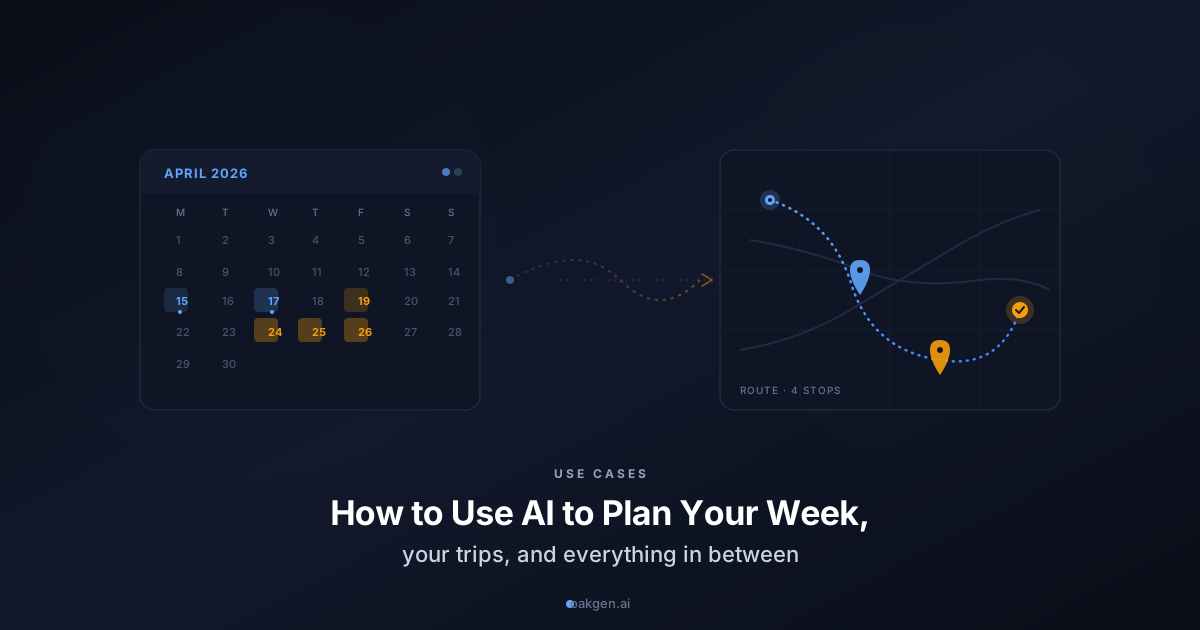
Most planning failures are not plan failures. They are planning-process failures. You sit down on Sunday evening with the intention of mapping out your week, and forty minutes later you have a vague list of things you should do and no real schedule. You get excited about a trip in three weeks, and the to-do list lives as twenty tabs, a Notes app, and a half-shared Google Doc. You commit to a side project and never actually break it down into tasks you could start tomorrow.
AI chat does not solve the "deciding what matters" part of planning. That is your job, and it should stay yours. But it is remarkably good at the part of planning that most people hate: breaking down a fuzzy goal into concrete steps, scheduling them against a messy calendar, and flagging the parts you are about to forget.
This guide covers five kinds of planning most of us do — weekly schedule, trips, events, projects, and open-ended life decisions — with the exact prompts that turn AI from a generic assistant into something closer to a cheap, patient chief-of-staff.
For most planning tasks, Claude Opus 4.7 produces the most realistic schedules — it pushes back on unrealistic timelines instead of just cheerfully agreeing. For anything that depends on real-world facts (travel times, opening hours, prices), switch to Gemini 3.1 Pro because it has live search. A multi-model chat lets you use both in one conversation.
The Planning Prompt That Fixes Everything
Most people prompt AI for planning like this:
"Plan my week."
And then they are disappointed when the output is generic. The output is generic because the input was generic.
Here is the structure that produces usable plans, for any timeframe, any goal:
REALITY:
- What's on my calendar that I can't move
- What state I'm actually in (energy, mood, constraints)
- What's already promised to others

GOALS:
- The 2-3 things I want this week/trip/project to accomplish
- The ONE thing that would count as a real win

CONSTRAINTS:
- Hard no's (protected time, things I refuse)
- Budget (money, time, energy)
- People involved and what I owe them

DRAFT:
- Break this into specific, scheduled actions
- Protect the ONE thing that matters most
- Tell me what I'll probably skip and whether that's OK
Most of the value is in the word "specific." A plan that says "go running" fails. A plan that says "Tuesday 7am, 3k loop through the park, shoes by the door the night before" does not.
Part 1: Planning a Realistic Week
Sunday evening planning is where most people's week dies. Here is a prompt that produces a schedule you might actually follow.
The "Realistic Week" Prompt
Help me plan the week of [dates]. Here's my reality:

CALENDAR (fixed):
- [meetings / appointments / commitments that can't move]

ONGOING WORK:
- [the 1-3 big things I'm currently responsible for]

GOALS FOR THIS WEEK:
- [2-3 specific outcomes I want by Friday]

NON-NEGOTIABLES:
- [protected time — workout, family dinner, etc.]

CURRENT STATE:
- Energy level this week: [1-10, honestly]
- Things that went poorly last week I want to fix: [1-2 things]

Build me a day-by-day plan that:
1. Protects the non-negotiables first
2. Puts the hardest work in my best energy window (morning for me)
3. Has at least one buffer slot per day for the stuff I didn't anticipate
4. Tells me honestly which goal is most likely to slip and suggests what to drop instead

Do not give me a plan where every minute is scheduled. Leave 25% of the week unscheduled on purpose.
Why this works: you have forced the AI to assume your week is already partly full (it is), to honor what you actually care about (not what sounds aspirational), and to admit what will not fit. Most generic AI weekly plans fail because they pretend you have 40 clear hours of focus time — which no working adult actually has.
The Sunday-Night Review Prompt
Do this with the same chat the next Sunday:
Last week I planned to [paste last week's plan or key goals]. What actually happened: [list].

Help me audit:
1. What did I get right that I should keep doing?
2. What slipped? What's the honest reason — was it the plan, the energy, or reality intervening?
3. What's one change to the plan structure — not harder-working-me, but a structural change — that would have helped?
Weekly review is where planning becomes a habit. The AI is helpful here because it will not let you fudge the story of your own week.
Part 2: Planning a Trip
Trip planning is where AI shines brightest because there are a lot of small facts (opening hours, travel times, walking distances) that humans hate looking up but AI does in seconds.
The "Day-by-Day Trip" Prompt
I'm planning a [X-day] trip to [destination(s)]. Traveling with [who — ages if relevant].

DATES: [start — end]
FLIGHTS / ARRIVAL: [what I've booked, arrival time]
BUDGET: [$X total, or $X/day not counting flights]
VIBE: [relaxed / packed / balanced / specific themes]

MUST-DO LIST:
- [things you explicitly want]

SOFT INTERESTS:
- [things you'd enjoy if they fit]

DIETARY / MOBILITY / LANGUAGE CONSTRAINTS:
- [anything relevant]

Build me a day-by-day itinerary that:
1. Gives us a gentle first day (jet lag, getting oriented)
2. Groups activities by neighborhood/region so we're not crisscrossing the city
3. Suggests ONE dinner cuisine/style per day, not specific restaurants (those change)
4. Bakes in 30 min of "do nothing" per day
5. Ends with what to pre-book (tickets, tables, transit passes) — with a date to book each by

Flag any day that's overpacked and tell me what I'd likely skip.
The "What Am I Forgetting?" Prompt
A few days before the trip:
Here's my upcoming trip plan: [paste itinerary]. I'm traveling from [home] to [destination] on [date].

Tell me the 10 small things first-time travelers to [destination] typically forget or get wrong. Include:
- Cultural / etiquette things
- Payment / connectivity / SIM details
- Weather or climate surprises for the season
- Local scams or tourist traps to avoid
- One "insider" thing most tourists miss

Do NOT include obvious things like "bring your passport."
Switch to Gemini or Perplexity Sonar for this prompt — they have current info. Claude and GPT will give you facts that may be out of date.
The "Handle the Disruption" Prompt
When the flight is delayed, the rental car has no availability, or the weather kills your plan:
Plan disruption: [what happened]. Original plan: [what you were going to do]. Constraints: [any that matter — budget, time, people depending on you].

Give me 3 alternatives in decreasing order of how much they recover the original plan. For each, tell me exactly what I need to do in the next 30 minutes to lock it in.
This turns AI from a pre-trip planner into a real-time travel companion. Much cheaper than a concierge.
Part 3: Planning Events
The birthday party, the wedding shower, the team offsite, the family Thanksgiving. The ones where the planning overhead eats the joy.
The "Event Backwards-Plan" Prompt
I'm planning [event type] for [who/how many] on [date]. Location: [home / venue]. Budget: [$X].

What the guest-of-honor or audience wants the event to feel like: [one sentence]

OK, I have [number of weeks until event]. Work backward from the day-of and give me:
1. A week-by-week checklist from now until the event
2. What HAS to happen in week 1 (book / reserve / invite)
3. What can wait until week -2 (final headcount, food quantities)
4. What I should pay someone else to do vs. DIY
5. One thing I should consciously NOT stress about

Be realistic — if the timeline is tight, tell me which corners to cut first.
The "Day-of Timeline" Prompt
A few days out:
Here's the final plan for [event] on [date]: [summary]. Guest count: [X]. Start time: [time]. End time: [time].

Write me a day-of timeline with:
1. Hour-by-hour from morning through event end
2. Who does what at each point
3. Buffer time for the things that always take longer than expected
4. A "if things run 30 min late, here's what to drop" plan

Print it so I can tape it to the fridge.
Part 4: Planning a Project
Side projects die in the gap between "I want to build X" and "here is what I'll do tomorrow." AI is unreasonably good at closing that gap.
The "Project Breakdown" Prompt
I'm starting a project: [project description]. Goal: [specific thing you want to exist at the end]. Timeline: [realistic weeks/months you have].

CURRENT REALITY:
- My relevant skills: [honest]
- My gaps: [honest]
- Time I can realistically commit: [hours/week]
- What the first version needs to do to count as "done": [minimum viable outcome]

Break this into:
1. MILESTONES: 3-5 big milestones, each with a date
2. PHASE 1 (next 2 weeks): Specific daily tasks — the level of detail where I could start tomorrow morning without thinking
3. TRAPS: The 3 places this project is most likely to stall, and what I should do if I feel stuck
4. CUT LINE: What to cut if halfway through I realize I won't finish

Do NOT plan the whole project in detail. Plan the next 2 weeks in detail and everything after in outline.
The "do not plan the whole project in detail" line is important. Over-planning a long project is a great way to never start it.
The "Weekly Project Check-in" Prompt
This week on [project], I planned to: [last week's tasks]. Actually did: [honest list]. Blocked on: [anything].

Given where I am vs. the original plan, update my next-week tasks. If I'm behind, tell me whether to catch up, replan the timeline, or cut scope. Recommend one — don't just list options.
Part 5: Planning an Open-Ended Life Decision
The decisions that are not obviously time-boxed: should I move? Should I change jobs? Should we have another kid? Should I go back to school?
AI cannot make these for you, and you should not let it. But it can help you plan how to make the decision — which is often the thing that feels impossible.
The "Decision Framework" Prompt
I'm trying to decide whether to [decision]. This has been on my mind for [duration]. Here's where I am:

WHAT'S TRUE:
- [facts about my situation, not feelings]

WHAT I'M FEELING:
- [separate — honest about the fear, excitement, ambivalence]

WHAT I'VE TRIED TO HELP DECIDE:
- [any research, conversations, exercises]

WHAT'S STILL UNRESOLVED:
- [the actual open questions]

Don't tell me what to do. Design a 30-day process for me to decide this, including:
1. Specific questions I should sit with each week
2. People I should talk to (by role, not name) and what to ask each
3. Information I should gather and from where
4. A kill criteria: what would I learn that would make the answer clearly "no"?
5. A go criteria: what would I learn that would make the answer clearly "yes"?
6. How to recognize when I'm just spinning vs. actually making progress
This is probably the most valuable prompt in this guide. Most life decisions get stuck because people mix up "deciding" and "researching how to decide." Forcing a process breaks the stall.
The "Pre-Mortem" Prompt
After you have decided (or are about to):
I've decided to [decision]. Imagine it's 6 months from now and it's gone badly. Write the honest post-mortem:
- What probably went wrong?
- What were the warning signs in the first month?
- What would I wish I had done differently at the start?

Based on this, what should I do in the next 30 days to reduce the chance of that outcome?
Pre-mortems work because they force you to simulate failure in a low-stakes way. Most decisions have foreseeable failure modes. This prompt surfaces them.
Putting It All Together: A Planning Stack
If you wanted to use AI planning for a full year, here is a reasonable rhythm:
- Sunday nights: Weekly plan prompt (20 min). Weekly review of last week.
- First of each month: Revisit the biggest current goal. Use the project breakdown or decision prompt to recheck the plan.
- Before any trip or event: Trip / event prompt with at least 2 weeks lead time.
- When stuck: The "what am I not seeing?" prompt, the debate prompt, the pre-mortem prompt.
- When a plan fails: No shame prompt — just run the review and replan.
You do not need a separate planner app, a Notion template, or a coach. You need a chat you actually use, with the prompts above saved somewhere you can find them.
The Key Mindset Shift
AI is not a better planner than you. You know your life, your energy, your real constraints, and your actual goals — none of which the AI has access to unless you paste them in.
What AI is better at is the mechanical part of planning: breaking a goal into tasks, checking if a schedule is realistic given its own math, and spotting the thing you have not considered because you are too close to the problem.
Outsource the mechanical part. Keep the judgment part. That is the split that makes AI-assisted planning actually work.
Open Oakgen Agent Chat to research, draft, and plan with Oakgen Auto, Oakgen Max, and Oakgen Pro Max. Review the result before creating supporting assets.